
If you're looking for a way to export audit logs, you can do so with LaunchDarkly's REST API. It's actually quite easy to do.
In this article, I am going to use Python to make calls to the REST API and export the data to CSV.
But it can be done just as easily in JavaScript or any other language of your choosing.
Setup
Set up an authorization token in the dashboard.
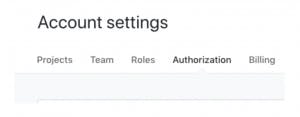
Click on your Account Settings tab on the left-hand side, then look for Authorization.
- Scroll down to Access tokens.
- Click on the green button on the right-hand side named + Token.
- Name the token and set the role as either Writer or Admin depending on your needs.
- Save token.
The Script
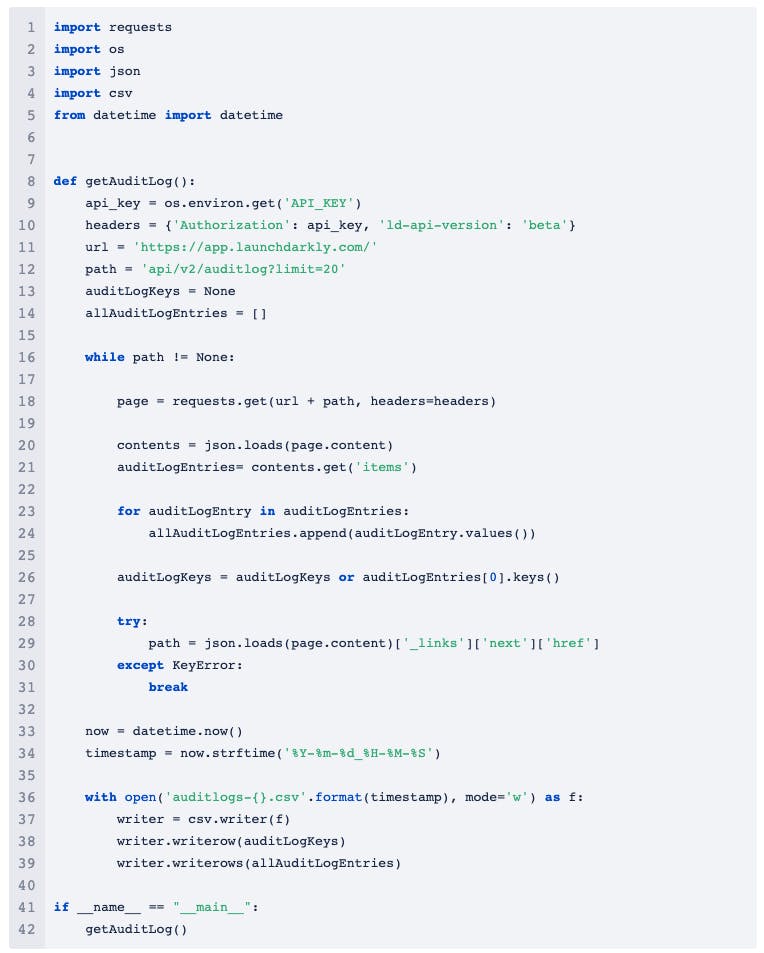
I used an environment variable (API_KEY) to store my authorization token, but feel free to use whatever method you prefer.
The formatting may need a little tweaking once you've exported the data. But in any case, this is one effective way to handle exporting audit logs using LaunchDarkly's REST API.