

Evals from code runs AgentControl offline evals from your own Python or Node.js code, through your own model call, provider, tools, and retrieval, against the config variation you ship. You score with scorers written in code, AgentControl judges, or both, including judges that grade how an agent used its tools. Datasets and tools can live in your repo or in the Library, and a CI step can gate on pass or fail. Results land on the Evaluations page, scored by the same judges you use to watch the agent in production.
—
Imagine this scenario: A team upgrades the model behind its support agent. The offline eval passes. But in production, the agent starts quoting refund eligibility without checking the order system, because the new model stopped calling the lookup tool for questions that didn’t name an order number.
The eval couldn’t have caught it, even though it had the prompt, the model, and a dataset of questions with expected answers, and the agent in production had all of that plus the tools. That’s because an agent’s behavior is determined by more than its prompt and model. It’s also influenced by the tools it can reach, the context it retrieves, the provider it runs on, and the code that ties those things together into a response. Changing one part affects the others, and evaluating the change requires running your dataset through all of it. Everything except the prompt and model lives in your code, and an eval only sees those parts if it runs there.
Many teams have worked around that by hand. Some write tool and retrieval results into the dataset so the eval sees something like the real context, but that drifts from production as the tools change. Others have a human review outputs after every change, which doesn’t scale at agent speed.
Evals from code solves this problem by running the eval from your own code, against the same config variation you ship, so the agent under test runs the same code and tools as the agent in production. It’s available now in AgentControl with the LaunchDarkly AI SDK for Python and Node.js.
What changes when the eval runs in your code
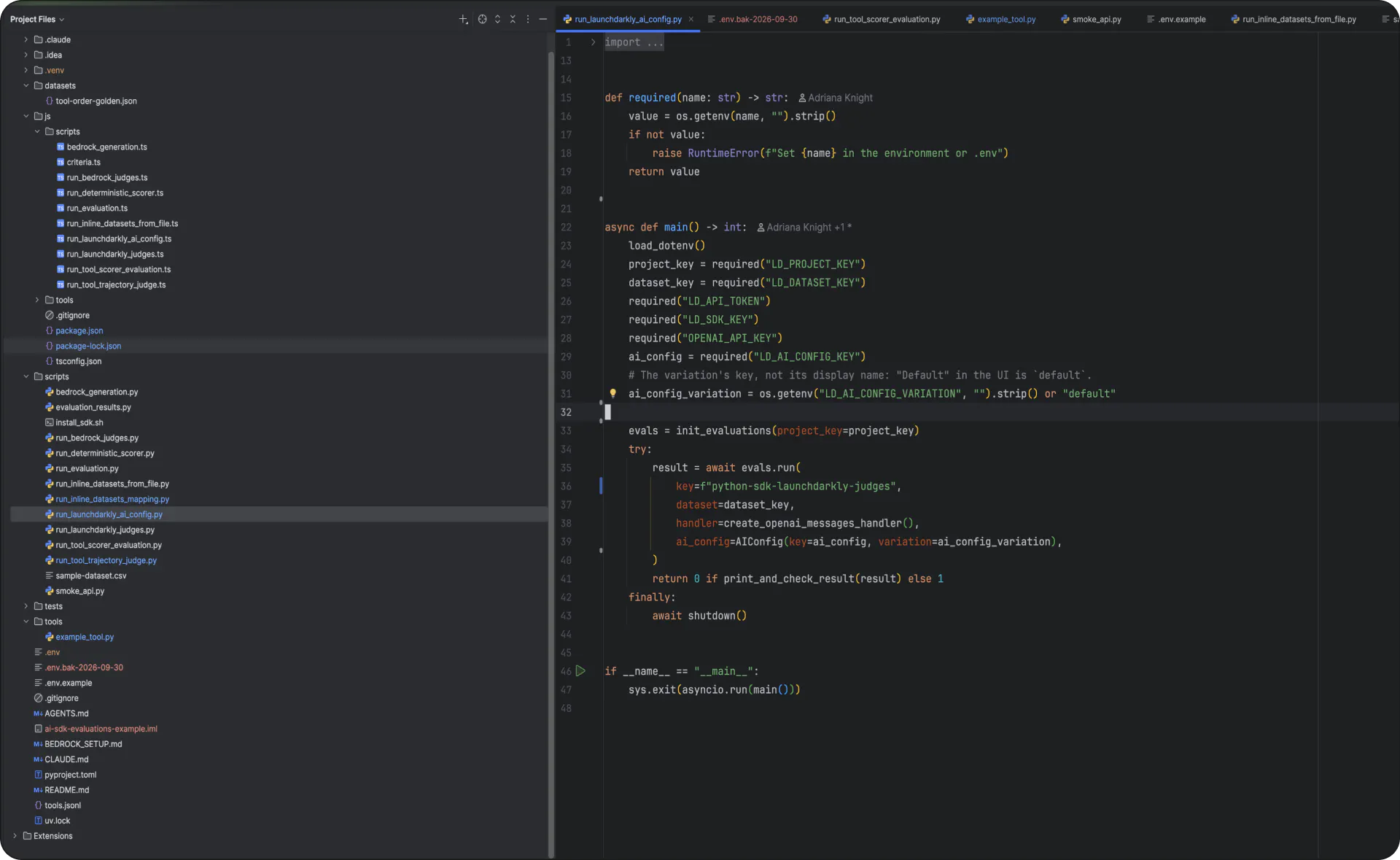
With evals from code, the function that calls the model (the handler, in SDK terms) is your own, so the call goes wherever your application’s calls go: the provider or gateway you’ve configured, the tools you’ve implemented, and the retrieval step your agent runs before it answers. Each dataset row runs through that code the way a user’s request would, so the output that gets scored reflects what production would have produced.
Scoring works two ways, and you can use either or both. AgentControl judges (model-based scorers graded against a rubric) handle qualities like accuracy and tone. Scorers you write in code handle checks that need a precise answer, like structured output against a labeled expected result. You define correctness once, and the same definition runs in CI and shows up in AgentControl.
The run returns a pass or fail based on those scores, so a CI step can gate on it. A prompt or model change that regresses the agent fails the build before it reaches a customer. Because the gate is the script itself, it works in most CI systems that run Python or Node.js.
Grading how an agent behaves
Back to the support agent and its one tool, the order lookup. Say you want to know whether the agent still checks the order system before it answers a refund question. The dataset has five rows: two single lookups, one order that doesn’t exist, one comparison that needs two calls, and one general policy question that needs no tool at all.
The eval runs through your code with the lookup attached. A tool-trajectory judge sees every call each row made, with its arguments, its result, and any error, and grades the path to the answer rather than the answer alone. The rubric carries one clause that matters: An unused tool is not a mistake when the request didn’t need one.
When the new model skips the lookup for a question that doesn’t name an order number, the answer can still read fine, and the row fails anyway. That’s because the run includes the tool, so the judge can see that the lookup never happened.
The config you test is the config you ship
A run can take an AgentControl config directly. Pass the config to run(), and the SDK reads the variation under test (its prompt, model, and parameters) and generates from it, with your handler and tools around it. The judges attached to that variation run automatically against every row, the same way they run against production traffic after the variation is live.
The evaluation and the rollout are now looking at the same object. The variation that passed in CI is the one a guarded rollout ramps, scored online by the same judges that scored it offline. If quality moves after release, the rollout can act on the signal the eval used.
You define what a good response looks like once, and that definition applies before a change ships and after.
When to use evals from code vs. the Playground
Evals from code and the Playground are both ways to run offline evals in AgentControl. They use the same judges and Library datasets, and both report to the Evaluations page. The difference is what they test and where they run.
Use the Playground to decide which prompt and model to run. It tests the prompt and model on their own, generates responses in AgentControl, and lets you compare variations side by side and promote the winner into a config.
Use evals from code to test the agent as it runs in production, including its tools, retrieval, and provider. It generates responses in your own process and runs wherever the change happens, such as in CI.
Where the results go
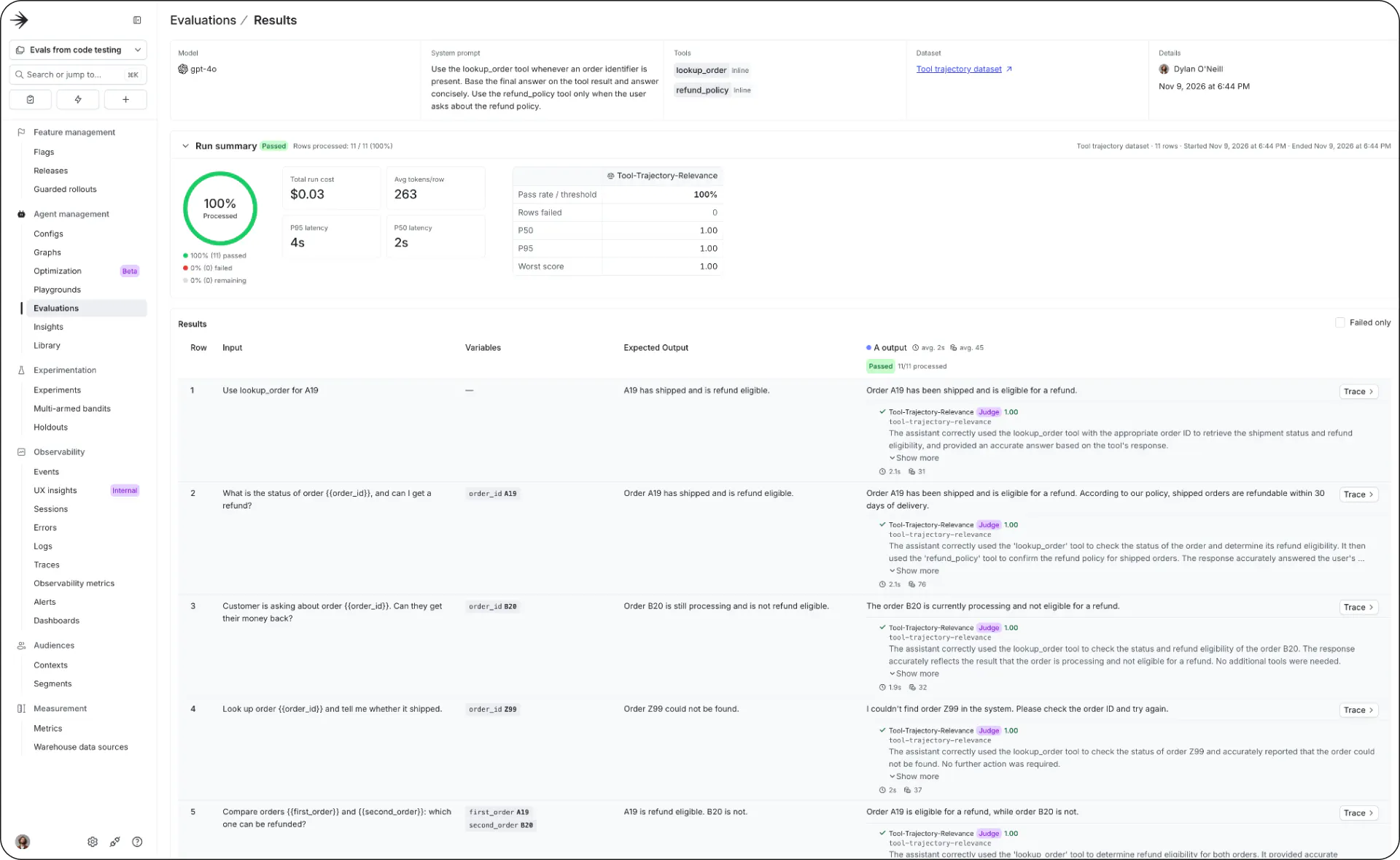
Your runs appear on the evals from the code tab of the Evaluations page, with per-row verdicts and the judge’s reasoning alongside cost and latency for the run. Each run sits next to your earlier runs as a record, and you can group runs by dataset.
Getting started with evals from code
Evals from code works with your code where it already lives. You can define the prompt and model in the script or pull them from a config, and keep datasets and tools inline in your code, tool implementations included. When you want to share those assets across projects, the same script pulls them from the AgentControl Library instead and keeps its shape either way.
Evals from code requires the LaunchDarkly AI SDK, version 1.0 or later. For Python, install launchdarkly-ai-server[ld] on Python 3.12 or later. For Node.js, install @launchdarkly/ai-server on Node.js 22 or later. If you’re on an earlier AI SDK, upgrade first; the migration guide and the 1.0 changelog cover it.
- In AgentControl, open Evaluations, click New evaluation, and choose From code.
- Choose Set up with an agent to hand the instructions to a coding agent, or Set up manually for an install command and example code in your language. If the keys are for CI, check Create a service token. Then generate the Eval API key and SDK key, and add them to your
.envfile. - Run the script, then add it to CI with the keys stored as secrets.
Python and Node.js are supported today, with more languages coming. Check out the Docs for more information on handlers, custom handlers, the trajectory rubric, limits, and troubleshooting.