> ## Documentation Index
> Fetch the complete documentation index at: https://launchdarkly.com/docs/llms.txt
> Use this file to discover all available pages before exploring further.
# LaunchDarkly Shopify Pixel
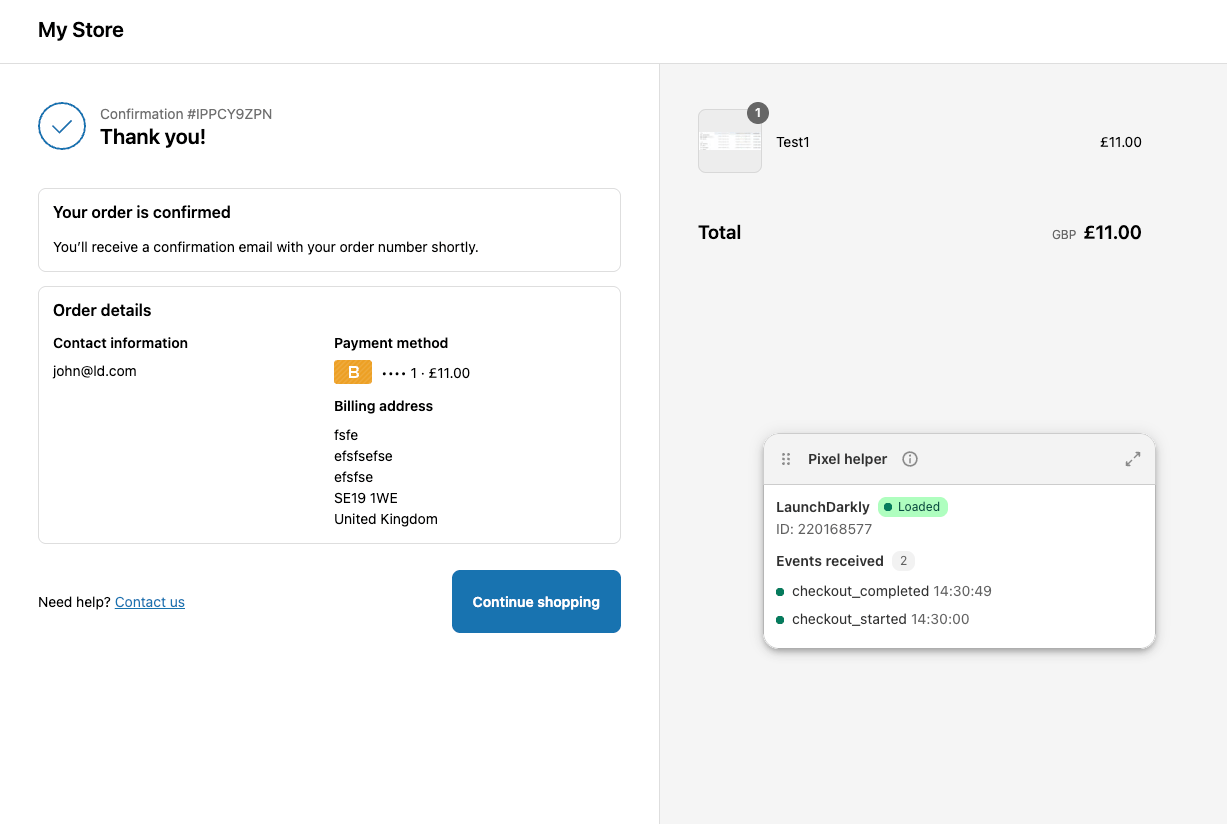
This topic explains how to create a Shopify Custom Pixel that reports checkout events to LaunchDarkly. It uses the JavaScript SDK's `track` and Shopify's `analytics.subscribe` methods to capture `checkout_started` and `checkout_completed` events and report them to LaunchDarkly.
 To learn more about the LaunchDarkly JavaScript SDK before you get started, read [JavaScript SDK reference guide](/docs/sdk/client-side/javascript).
To learn how to configure a Shopify Custom Pixel, read [Shopify's documentation](https://help.shopify.com/en/manual/promoting-marketing/pixels/custom-pixels/code).
## Example configuration code
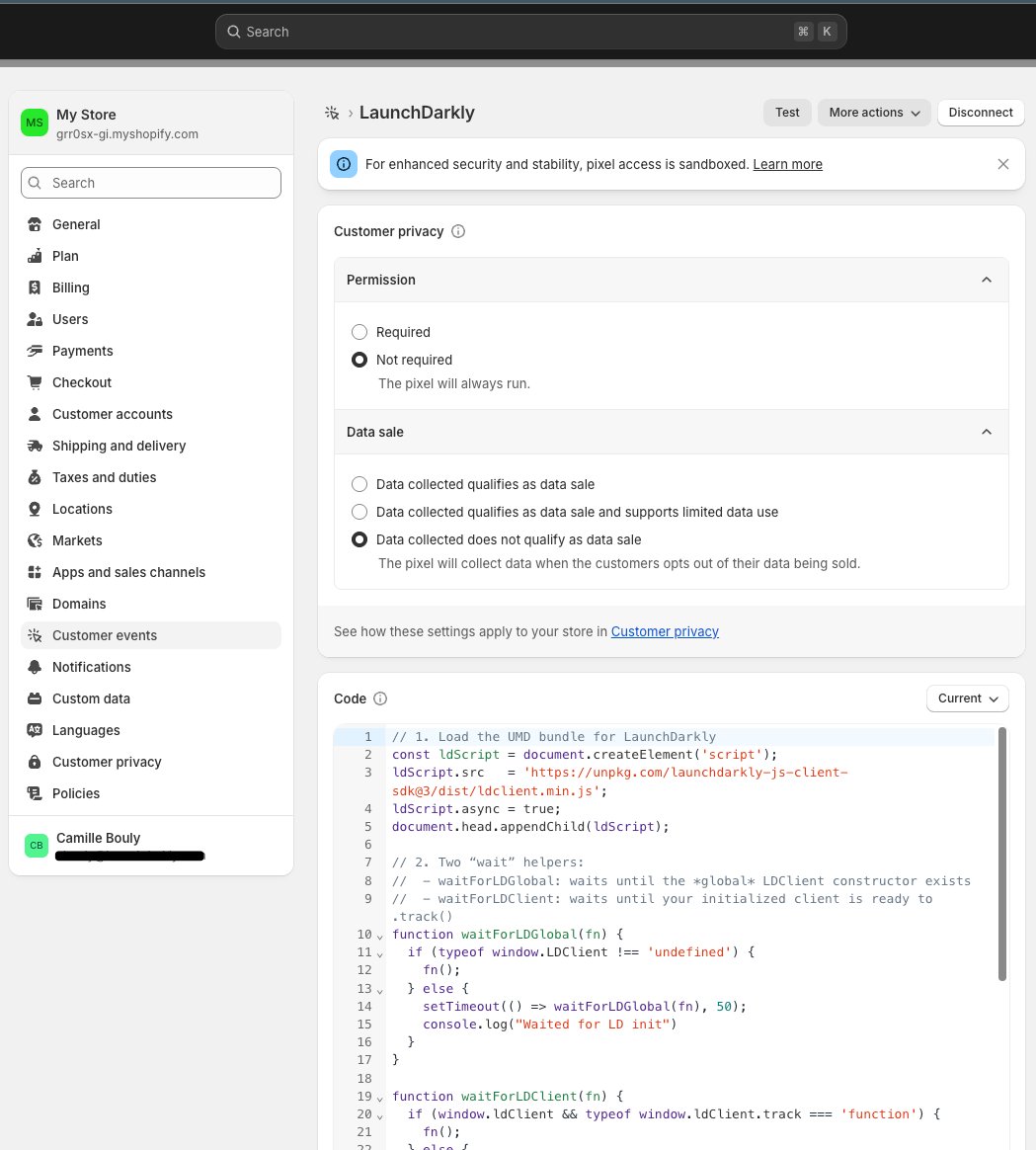
Here is an example of code to configure a Shopify Custom Pixel that reports checkout events to LaunchDarkly. Depending on your specific implementation, you may need to modify the code to better fit your needs.
This code:
* loads the LaunchDarkly SDK asynchronously
* instructs `waitForClient(fn)` to poll until `ldClient.track` exists
* subscribes to `checkout_started` and `checkout_completed`
* uses the event's client ID as the LaunchDarkly context key, and falls back to an anonymous context if this is not available
* initializes or re-identifies the LaunchDarkly client inside the handler, then calls `track()`
Here's how:
```js title="Example Pixel configuration code" maxLines=0 expandable lines wrap theme={null}
// 1. Load LaunchDarkly
const ldScript = document.createElement('script');
ldScript.src = 'https://unpkg.com/launchdarkly-js-client-sdk@3/dist/ldclient.min.js';
// As a best practice, we recommend not using unpkg in production environments. We use it here only because this is a demo environment.
ldScript.async = true;
document.head.appendChild(ldScript);
// 2. Polling helper
function waitForClient(fn) {
if (window.ldClient && window.ldClient.track) {
fn();
} else {
setTimeout(() => waitForClient(fn), 50);
}
}
// 3. Subscribe to checkout_started
analytics.subscribe("checkout_started", (event) => {
const chk = event.data?.checkout || {};
const userKey = event.clientId || ('anon-' + event.clientId);
const ctx = { kind: 'user', key: userKey, email: chk.email };
const value = chk.totalPrice?.amount || 0;
window.ldClient = LDClient.initialize('YOUR_CLIENT_SIDE_ID', ctx);
waitForClient(() => {
window.ldClient.track('checkout_started', null, value);
});
});
// 4. Subscribe to checkout_completed
analytics.subscribe('checkout_completed', (event) => {
const chk = event.data?.checkout || {};
const value = chk.totalPrice?.amount || 0;
waitForClient(() => {
window.ldClient.track('checkout_completed', null, value);
});
});
```
To learn more about the LaunchDarkly JavaScript SDK before you get started, read [JavaScript SDK reference guide](/docs/sdk/client-side/javascript).
To learn how to configure a Shopify Custom Pixel, read [Shopify's documentation](https://help.shopify.com/en/manual/promoting-marketing/pixels/custom-pixels/code).
## Example configuration code
Here is an example of code to configure a Shopify Custom Pixel that reports checkout events to LaunchDarkly. Depending on your specific implementation, you may need to modify the code to better fit your needs.
This code:
* loads the LaunchDarkly SDK asynchronously
* instructs `waitForClient(fn)` to poll until `ldClient.track` exists
* subscribes to `checkout_started` and `checkout_completed`
* uses the event's client ID as the LaunchDarkly context key, and falls back to an anonymous context if this is not available
* initializes or re-identifies the LaunchDarkly client inside the handler, then calls `track()`
Here's how:
```js title="Example Pixel configuration code" maxLines=0 expandable lines wrap theme={null}
// 1. Load LaunchDarkly
const ldScript = document.createElement('script');
ldScript.src = 'https://unpkg.com/launchdarkly-js-client-sdk@3/dist/ldclient.min.js';
// As a best practice, we recommend not using unpkg in production environments. We use it here only because this is a demo environment.
ldScript.async = true;
document.head.appendChild(ldScript);
// 2. Polling helper
function waitForClient(fn) {
if (window.ldClient && window.ldClient.track) {
fn();
} else {
setTimeout(() => waitForClient(fn), 50);
}
}
// 3. Subscribe to checkout_started
analytics.subscribe("checkout_started", (event) => {
const chk = event.data?.checkout || {};
const userKey = event.clientId || ('anon-' + event.clientId);
const ctx = { kind: 'user', key: userKey, email: chk.email };
const value = chk.totalPrice?.amount || 0;
window.ldClient = LDClient.initialize('YOUR_CLIENT_SIDE_ID', ctx);
waitForClient(() => {
window.ldClient.track('checkout_started', null, value);
});
});
// 4. Subscribe to checkout_completed
analytics.subscribe('checkout_completed', (event) => {
const chk = event.data?.checkout || {};
const value = chk.totalPrice?.amount || 0;
waitForClient(() => {
window.ldClient.track('checkout_completed', null, value);
});
});
```
 ## Best practices and considerations
If you decide to modify the code above, we recommend the following best practices:
* Load the SDK before calling `LDClient.initialize()`. Using `
## Best practices and considerations
If you decide to modify the code above, we recommend the following best practices:
* Load the SDK before calling `LDClient.initialize()`. Using `