> ## Documentation Index
> Fetch the complete documentation index at: https://launchdarkly.com/docs/llms.txt
> Use this file to discover all available pages before exploring further.
# Managing experiments
This topic explains how to view and filter the **Experiments** list.
## The experiments list
You can view information about your new, running, and stopped experiments on the **Experiments** list.
The **Experiments** list includes the following information about each experiment:
* **Name**
* **Status**: Not started, running, or stopped. Hover over the status for an experiment to view more information about its status.
* **Duration**: How long the current iteration of the experiment has been running.
* **Started**: The date and time that you started the current iteration of the experiment.
* **Stopped**: The date and time that you stopped the latest iteration of the experiment. If this column is blank, the experiment has either not been started yet, or is still running.
* **Metrics used**: Any primary or secondary metrics and any metric groups used in the experiment. Hover over the metric name to view a full list of all metrics used.
* **Maintainer**: The member who created the experiment.
* **Tags**: Any tags for the experiment.
You can show or hide any of these columns by clicking the **Display** menu at the top of the list, and selecting or deselecting the appropriate column.
## Experiment options
Click on the **three-dot** overflow menu for an experiment to do any of the following:
* Copy the experiment key
* [Clone the experiment](/docs/home/experimentation/edit-archive#clone-experiments)
* Copy a direct link to the experiment
* [Archive the experiment](/docs/home/experimentation/edit-archive#archive-experiments)
## View and edit experiments
From the **Experiments** list, click on an experiment name to open the experiment. You can then:
* [Edit the experiment design](/docs/home/experimentation/edit-archive)
* [View experiment results](/docs/home/experimentation/analyze)
* [Stop the experiment or start a new iteration](/docs/home/experimentation/start-stop-exp)
* Click the **bell** icon in the right sidebar to [receive notifications](/docs/home/account/profile#update-your-notification-settings) when someone starts or stops an experiment iteration
* Update the maintainer of the experiment
* Leave comments about the experiment on the **Discussion** tab in the right sidebar
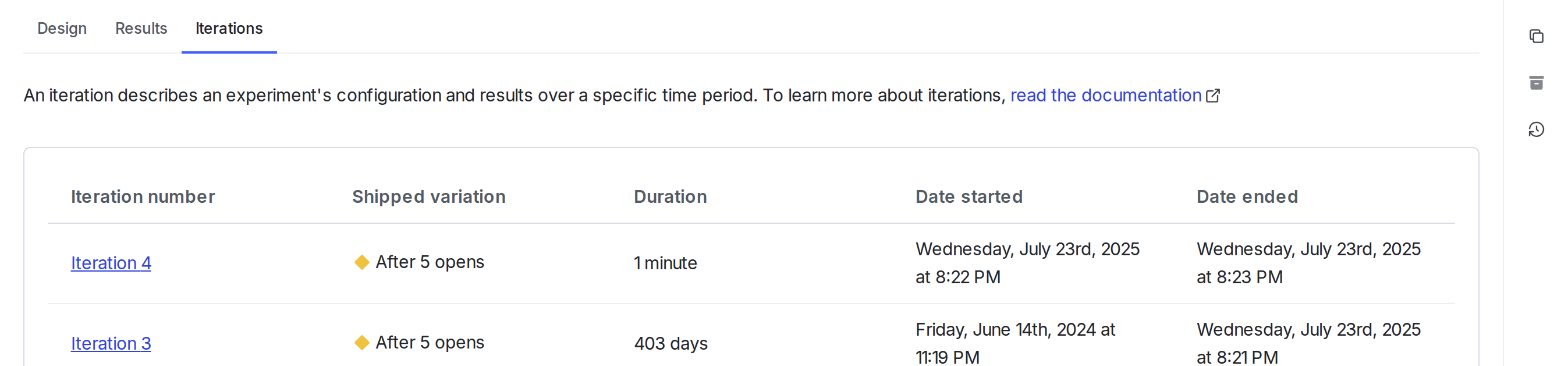
* View experiment data over set periods of time from the [**Iterations** tab](/docs/home/experimentation/start-stop-exp):
 ## Experiment list filters
Click on **Filters** at the top of the **Experiments** list to filter the list by the following options:
* **Status**: Not started, running, or stopped
* **Started**: Experiments started within a specific timeframe
* **Metrics used**
* **Maintainer**
* **Tags**
* **Holdouts**: Only experiments included in a specific holdout
* **Layer**: Only experiments included in a specific layer
* **Archived**: Whether or not the experiment is archived
## Experiment list filters
Click on **Filters** at the top of the **Experiments** list to filter the list by the following options:
* **Status**: Not started, running, or stopped
* **Started**: Experiments started within a specific timeframe
* **Metrics used**
* **Maintainer**
* **Tags**
* **Holdouts**: Only experiments included in a specific holdout
* **Layer**: Only experiments included in a specific layer
* **Archived**: Whether or not the experiment is archived