> ## Documentation Index
> Fetch the complete documentation index at: https://launchdarkly.com/docs/llms.txt
> Use this file to discover all available pages before exploring further.
# Converting rules into segments
This topic explains how convert targeting rules into reusable segments.
## Convert rules into segments
You may require complex targeting rules to successfully perform feature launches. You can convert a targeting rule into a reusable standard segment from the flag's **Targeting** tab.
To convert a rule into a segment:
1. In the flags dashboard, scroll or search to find the flag you want.
2. Click the flag's name to open the flag's **Targeting** tab.
3. If the flag is off and the rules are hidden, click **View targeting rules**.
4. Find the custom targeting rule you want to convert and click the **three-dot** overflow menu. The overflow menu appears.
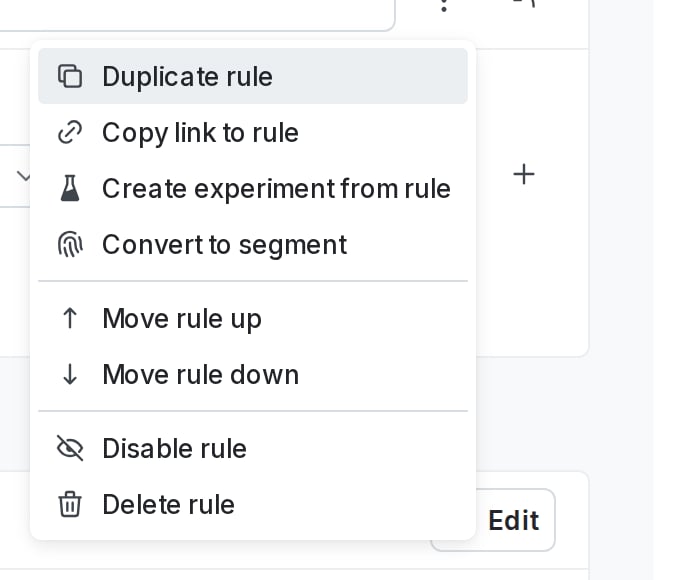 5. Click **Convert to segment**. The "Convert targeting rule to segment" dialog appears.
6. Give your segment a human-readable **Name** and a **Key**.
7. (Optional) Add a **Description**.
8. (Optional) Select a tag or create a new tag from the **Tags** menu.
9. Click **Save segment**. A confirmation appears indicating that you've created a new segment.
A new rule targeting the newly created segment appears in the list of targeting rules.
5. Click **Convert to segment**. The "Convert targeting rule to segment" dialog appears.
6. Give your segment a human-readable **Name** and a **Key**.
7. (Optional) Add a **Description**.
8. (Optional) Select a tag or create a new tag from the **Tags** menu.
9. Click **Save segment**. A confirmation appears indicating that you've created a new segment.
A new rule targeting the newly created segment appears in the list of targeting rules.