> ## Documentation Index
> Fetch the complete documentation index at: https://launchdarkly.com/docs/llms.txt
> Use this file to discover all available pages before exploring further.
# Target with flags
This category explains how to use flag targeting to control which of your customers receive which variation of a feature flag. Configuring flags to serve different variations to different end users, or "contexts," is called "flag targeting."
LaunchDarkly [contexts](/docs/home/flags/contexts) are data objects representing users, devices, organizations, and other entities that interact with your app. These data objects contain [context attributes](/docs/home/flags/context-attributes) that describe what you know about that context, such as their name, location, device type, or organization they are associated with. LaunchDarkly SDKs can pass any context attributes you want to LaunchDarkly, where you can then use those attributes in flag targeting.
In addition to targeting specific context attributes, you can target individuals, segments, or specific mobile apps and devices. You can also release features based on custom rules you create. You can even set expiration dates for flag targeting if you know you only want customers to receive a flag for a specific period of time.
Here are example targeting rules on a feature flag:
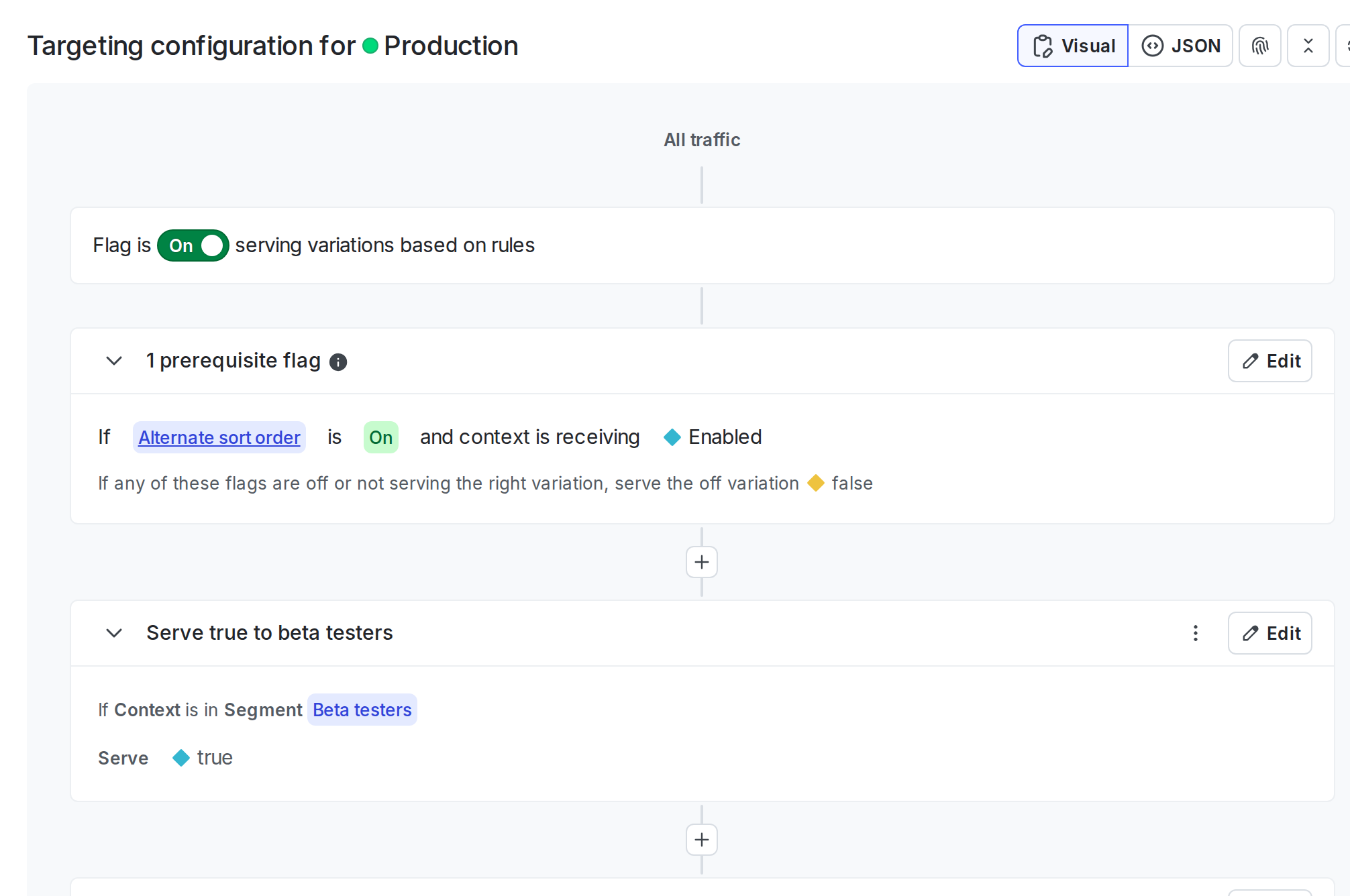 Each feature flag can include a combination of prerequisites, individual targets, and targeting rules. Each feature flag must include a default rule.
To learn more about how your application and LaunchDarkly SDKs work together to serve feature flag variations, read [LaunchDarkly architecture](/docs/home/getting-started/architecture).
**Migration flags are different**
Migration flags show different information on their **Targeting** tab than feature flags do. A migration flag's **Targeting** tab shows information about the migration's health and the cohorts it is targeted to. To learn more, read [Migration flags](/docs/home/flags/migration).
The topics in this category explain how to create and manage different types of targeting rules and default flag variations:
* [Targeting rules](/docs/home/flags/target-rules)
* [Flag prerequisites](/docs/home/flags/prereqs)
* [The off variation](/docs/home/flags/off-variation)
* [The default rule](/docs/home/flags/default-rule)
Each feature flag can include a combination of prerequisites, individual targets, and targeting rules. Each feature flag must include a default rule.
To learn more about how your application and LaunchDarkly SDKs work together to serve feature flag variations, read [LaunchDarkly architecture](/docs/home/getting-started/architecture).
**Migration flags are different**
Migration flags show different information on their **Targeting** tab than feature flags do. A migration flag's **Targeting** tab shows information about the migration's health and the cohorts it is targeted to. To learn more, read [Migration flags](/docs/home/flags/migration).
The topics in this category explain how to create and manage different types of targeting rules and default flag variations:
* [Targeting rules](/docs/home/flags/target-rules)
* [Flag prerequisites](/docs/home/flags/prereqs)
* [The off variation](/docs/home/flags/off-variation)
* [The default rule](/docs/home/flags/default-rule)