> ## Documentation Index
> Fetch the complete documentation index at: https://launchdarkly.com/docs/llms.txt
> Use this file to discover all available pages before exploring further.
# Receiving approval notifications in Microsoft Teams
**Microsoft Teams notifications are not available in federal environments**
To learn more, read LaunchDarkly in federal environments.
**Microsoft Teams notifications are not available in LaunchDarkly's European Union (EU) instance**
To learn more, read LaunchDarkly in the European Union (EU).
This topic explains how you can receive approval notifications in Microsoft Teams. Approvals let you request review for changes you plan to make to a flag or experiment. You can view approval requests from within the LaunchDarkly Microsoft Teams app. The LaunchDarkly Microsoft Teams app supports approval requests for feature flag and experiment changes only.
To use this feature, you must have installed and configured the LaunchDarkly Microsoft Teams app. To learn how, read [Setting up the Microsoft Teams app](/docs/integrations/microsoft-teams/setting-up).
To learn more about approvals, read [Approvals](/docs/home/releases/approvals).
## View approvals in Microsoft Teams
Here's how to view approval requests in the Microsoft Teams app:
1. Click the approval notification from the LaunchDarkly app.
2. Click **Open in LaunchDarkly** to view the flag or experiment details in the LaunchDarkly user interface.
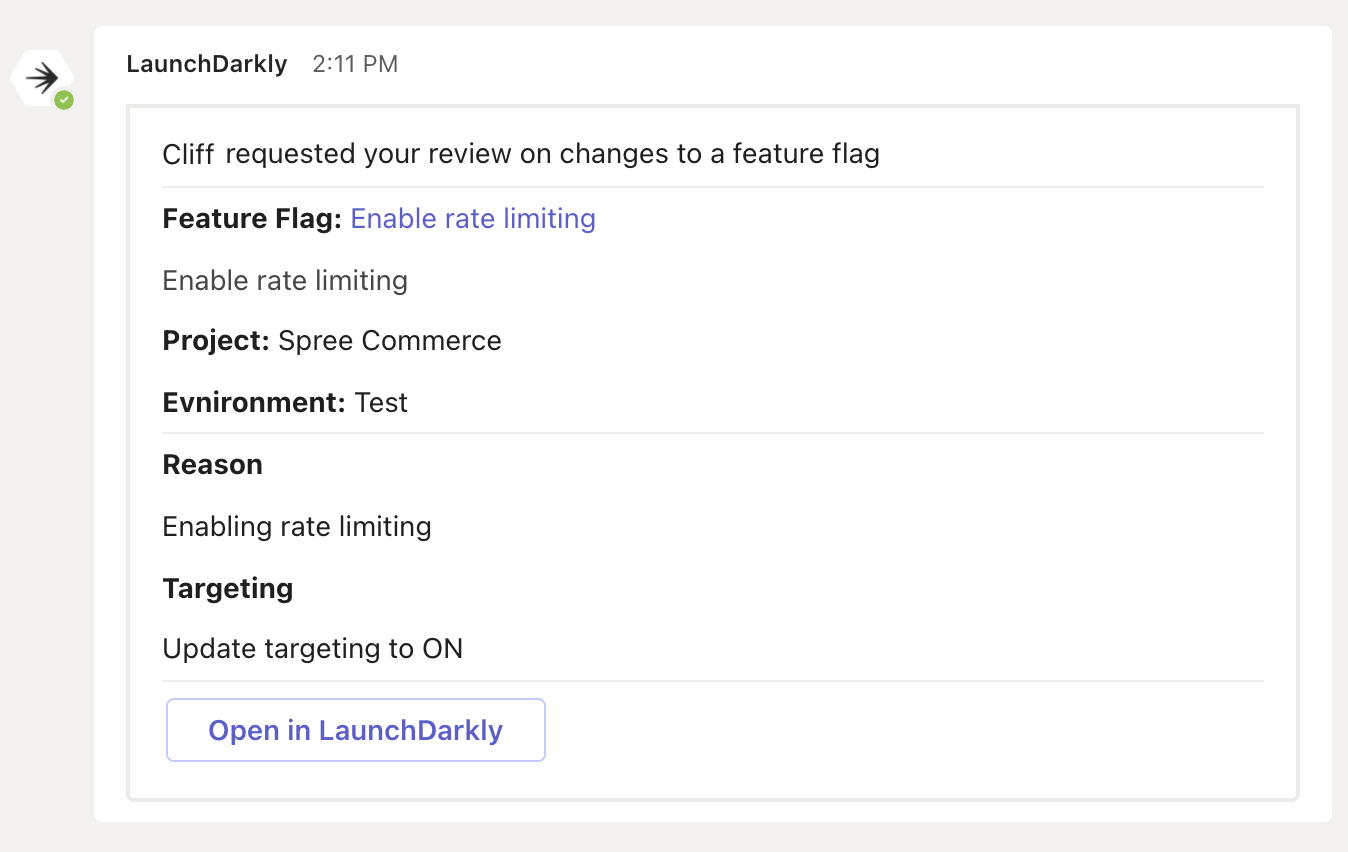 Any reviewers that you added to the approval request also receive a Microsoft Teams notification if they have authorized the LaunchDarkly app.