> ## Documentation Index
> Fetch the complete documentation index at: https://launchdarkly.com/docs/llms.txt
> Use this file to discover all available pages before exploring further.
# Flag links capability
This topic explains how to use the flag links integration framework capability.
## About flag links
Flag links let you associate feature flags with resources contained in external services, such as Slack messages and Jira issues. To learn more about the feature, read [Flag links](/docs/home/flags/links).
Here is an image of a flag link:
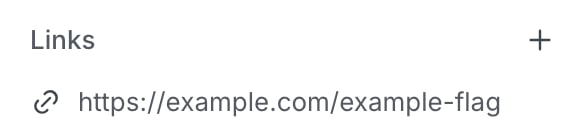 The `flagLink` capability is used to apply custom formatting and metadata to flag links that originate from your integration service. For complete examples, read the [Slack App manifest](https://github.com/launchdarkly/integration-framework/blob/main/integrations/slack-app/manifest.json) and the [Jira integration manifest](https://github.com/launchdarkly/integration-framework/blob/main/integrations/jira/manifest.json).
The `flagLink` capability has the following properties:
* [`header`](#the-header-property)
* [`metadata`](#the-metadata-property)
* [`uiBlocks`](#the-ui-blocks-property)
* [`emptyState`](#the-empty-state-property)
### The header property
This property string specifies the sentence-cased title to show for all flag links for the integration, for example, "Jira issue" or "Slack conversation."
### The metadata property
The `metadata` object specifies the shape of the data for the flag link POST body and API response. Additionally, the metadata can be referenced in the visual representation of the flag link and may be indexed for search purposes. In the integration manifest, the `metadata` object is a mapping of a metadata key to a metadata value object that specifies the format of the metadata item.
For example, the [Jira integration](https://github.com/launchdarkly/integration-framework/blob/main/integrations/jira/manifest.json) has the following `metadata` object:
```json title="A metadata object" lines wrap theme={null}
"metadata": {
"creator": {
"type": "string"
},
"iconUrl": {
"type": "uri"
},
"issueKey": {
"type": "string"
},
"issueTitle": {
"type": "string"
}
},
```
### The UI blocks property
The `uiBlocks` object specifies the look and feel of the integration's flag links in the LaunchDarkly UI.
Any combination of the following properties can be specified:
* `image`: An object specifying the icon or avatar used to represent the link. Handlebars templating can be utilized in the `sourceUrl` field to reference metadata submitted by the integration when the link is created.
* `title`: An object specifying the flag link title. UI block `elements` are used to provide design flexibility.
* `context`: An object specifying additional information about the flag link. UI block `elements` are used to shape the message.
#### UI block elements
***
The `title` and `context` UI blocks take advantage of UI block `elements` to provide flexible formatting.
A UI block element is an object comprised of a required `text` field and may contain one or more of the following properties:
* `isBold` (boolean): Whether or not the text should be rendered in bold face
* `isTimestamp` (boolean): Whether or not the text should be converted from Unix milliseconds to a human-readable format
* `url` (string): If you provide this, the block element will link to the rendered URL
Both the `text` and `url` properties can include Handlebars template variables to reference metadata submitted by the integration when the link is created.
For example, the [Slack App integration](https://github.com/launchdarkly/integration-framework/blob/main/integrations/slack-app/manifest.json) specifies the `context` UI block as follows:
```json title="A context block" lines wrap theme={null}
"context": {
"elements": [
{ "text": "Posted in" },
{ "text": "#{{{metadata.channelName}}}", "isBold": true },
{ "text": "View message", "url": "{{{deepLink}}}" }
]
}
```
### The empty state property
This `emptyState` object specifies the message used to assist members when there have not been any flag links created for the integration.
The `emptyState` object contains two properties:
* `title`: The title heading of the empty state message.
* `leadText`: Text or markup content detailing how members can create flag links for this integration.
For example, the [Jira integration](https://github.com/launchdarkly/integration-framework/blob/main/integrations/jira/manifest.json) specifies the `emptyState` object as follows:
```json title="An emptyState object" lines wrap theme={null}
"emptyState": {
"title": "There are no Jira issues that link to this flag.",
"leadText": "Jira issues connected to this feature flag will automatically appear here."
}
```
The `flagLink` capability is used to apply custom formatting and metadata to flag links that originate from your integration service. For complete examples, read the [Slack App manifest](https://github.com/launchdarkly/integration-framework/blob/main/integrations/slack-app/manifest.json) and the [Jira integration manifest](https://github.com/launchdarkly/integration-framework/blob/main/integrations/jira/manifest.json).
The `flagLink` capability has the following properties:
* [`header`](#the-header-property)
* [`metadata`](#the-metadata-property)
* [`uiBlocks`](#the-ui-blocks-property)
* [`emptyState`](#the-empty-state-property)
### The header property
This property string specifies the sentence-cased title to show for all flag links for the integration, for example, "Jira issue" or "Slack conversation."
### The metadata property
The `metadata` object specifies the shape of the data for the flag link POST body and API response. Additionally, the metadata can be referenced in the visual representation of the flag link and may be indexed for search purposes. In the integration manifest, the `metadata` object is a mapping of a metadata key to a metadata value object that specifies the format of the metadata item.
For example, the [Jira integration](https://github.com/launchdarkly/integration-framework/blob/main/integrations/jira/manifest.json) has the following `metadata` object:
```json title="A metadata object" lines wrap theme={null}
"metadata": {
"creator": {
"type": "string"
},
"iconUrl": {
"type": "uri"
},
"issueKey": {
"type": "string"
},
"issueTitle": {
"type": "string"
}
},
```
### The UI blocks property
The `uiBlocks` object specifies the look and feel of the integration's flag links in the LaunchDarkly UI.
Any combination of the following properties can be specified:
* `image`: An object specifying the icon or avatar used to represent the link. Handlebars templating can be utilized in the `sourceUrl` field to reference metadata submitted by the integration when the link is created.
* `title`: An object specifying the flag link title. UI block `elements` are used to provide design flexibility.
* `context`: An object specifying additional information about the flag link. UI block `elements` are used to shape the message.
#### UI block elements
***
The `title` and `context` UI blocks take advantage of UI block `elements` to provide flexible formatting.
A UI block element is an object comprised of a required `text` field and may contain one or more of the following properties:
* `isBold` (boolean): Whether or not the text should be rendered in bold face
* `isTimestamp` (boolean): Whether or not the text should be converted from Unix milliseconds to a human-readable format
* `url` (string): If you provide this, the block element will link to the rendered URL
Both the `text` and `url` properties can include Handlebars template variables to reference metadata submitted by the integration when the link is created.
For example, the [Slack App integration](https://github.com/launchdarkly/integration-framework/blob/main/integrations/slack-app/manifest.json) specifies the `context` UI block as follows:
```json title="A context block" lines wrap theme={null}
"context": {
"elements": [
{ "text": "Posted in" },
{ "text": "#{{{metadata.channelName}}}", "isBold": true },
{ "text": "View message", "url": "{{{deepLink}}}" }
]
}
```
### The empty state property
This `emptyState` object specifies the message used to assist members when there have not been any flag links created for the integration.
The `emptyState` object contains two properties:
* `title`: The title heading of the empty state message.
* `leadText`: Text or markup content detailing how members can create flag links for this integration.
For example, the [Jira integration](https://github.com/launchdarkly/integration-framework/blob/main/integrations/jira/manifest.json) specifies the `emptyState` object as follows:
```json title="An emptyState object" lines wrap theme={null}
"emptyState": {
"title": "There are no Jira issues that link to this flag.",
"leadText": "Jira issues connected to this feature flag will automatically appear here."
}
```