Using materialized views in ClickHouse (vs. Postgres)
Using materialized views in ClickHouse (vs. Postgres)
Published January 23, 2024

Introduction: The Use Case
Our team recently adopted ClickHouse to store and query high-volume observability data. The implementation was straightforward for the intended aggregate querying, but solving other access patterns was more complex. For example, we needed to aggregate traces over a large time range to get average duration values, but at the same time find and load a single trace by ID. In ClickHouse, a table only has one primary index that could optimally query data. Thankfully, there’s just the tool for the job…
At a High-level: ClickHouse vs Postgres
PostgreSQL (Postgres) is a versatile SQL database, known for its reliability and used for various applications. It’s an Online Transaction Processing (OLTP) database, providing real-time, exact results. ClickHouse, on the other hand, specializes in Online Analytical Processing (OLAP), making it better for fast, complex data analysis. In short, ClickHouse performs better at collecting aggregate results from a large dataset, while PostgreSQL exceeds at finding single records based on a known query pattern.
What is a Materialized View?
Both databases provide Materialized Views as a way to transform data into a different structure that can be queried in a performant way. Think of it as a Pivot in Excel or other table-viewing tools. Rather than having to process the data into a different format every time a query is made, a Materialized View remembers the transformation and applies it periodically so that the query can be made quickly against the processed form. There are notable differences between PostgreSQL and ClickHouse Materialized Views (MVs), but the use case for MVs in both is similar.
Read more for a deep dive into an actual use case for setting up a series of ClickHouse Materialized Views.
Deep-dive: Ingesting Traces from an Example LLM App
At LaunchDarkly, we recently launched a new tracing product that records code execution from your application to help debug issues or troubleshoot performance problems. The query engine in our app allows reporting and searching across structured attributes sent with traces. Each trace has a given duration in seconds but can also carry arbitrary numeric properties. Let’s say our trace measures the performance of AI inference for a large language model, and we report the input size in tokens as the tokens:123 numeric property.
The sample code below runs inference using a popular HuggingFace model. The critical code path is wrapped with a contextmanager that starts and stops a span to time the duration of execution while reporting useful attributes that can help us debug the root cause of potential problems. Here, we’re reporting the input text, the output text, and the num_tokens sent to the model during inference.
Building a ClickHouse query for Trace Search
Now that we’ve started recording traces, we need a way to find interesting ones. In LaunchDarkly, we store each of these trace spans as a row in a ClickHouse table and provide the ability to visualize that data via time-series aggregations to identify trends or learn useful correlations.
For example, lets say we wanted to search for cases where the inference was slow to see if the size of our input (and the number of input tokens) had an effect on the inference duration. To write a ClickHouse query for that, we first would need to understand the traces schema (or how they are stored in the database). The table DDL looks something like this (see it in this GitHub repository).
While the attributes that are present on all traces are stored as top-level columns, traces can have arbitrary custom attributes that can differ. The column TraceAttributes is a map that can store all of these values without having to worry about their types. In our ingest that writes data to the table, we format all TraceAttributes as strings where the key stores the name of the attribute. This allows us to mix different potential trace attributes within the same table regardless of their data type (where more complex values can be stored as their JSON string representation).
However, this presents a challenge when searching. The LaunchDarkly UI auto-completes attribute keys that can be used for searching, but having to scan over the entire table to gather the distinct keys is slow. We also can’t quickly determine which keys have at least one numeric value since we’d need to look at all values in the table to determine that.
This is where materialized views come to the rescue. Let’s create the materialized view for this table that will recall which trace attributes are numeric for quick key recommendation in our UI:
We define a new table trace_keys_mv which is based on the contents of traces . The new MV has 5 columns populated based on the SELECT query written in the second half of the statement above. In ClickHouse, the materialized view definition looks like a normal SELECT query, but it runs asynchronously when data is inserted into the source traces table. The SELECT statement defines the filters, aggregation, and other logic that transforms the data from the source table before it is written into the destination table. The result is a table with data that is processed into our desired form. Since data is written as it is inserted into the source table, it can be queried instantly from the materialized view:
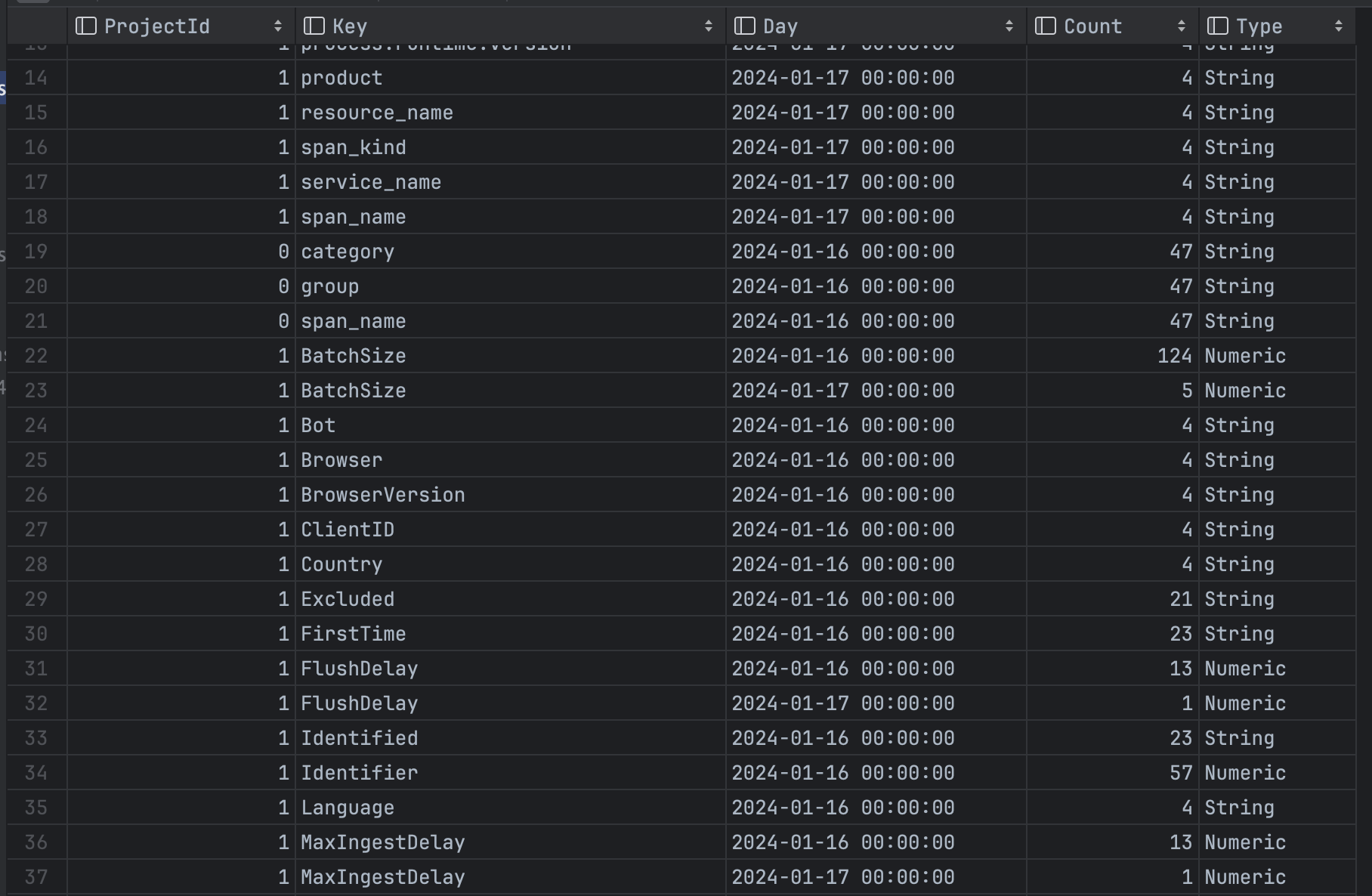
The only downside is that each materialized view created consumes additional CPU, memory, and disk on the ClickHouse cluster, since inserted data must be processed and written into the new form.
A Materialized View for Fast Row Lookup
In PostgreSQL, searching for a single row can be optimized with an index. If you have more than one query pattern, you can create multiple indexes on combinations of columns used. In ClickHouse on the other hand, you only have one primary key for the table that has significant query performance. Thankfully, we can use materialized views to create other versions of the table with a different partitioning scheme, allowing us to efficiently query in other ways. For example, the following materialized view creates a copy of our traces table ORDER BY (ProjectId, TraceId) rather than ORDER BY (ProjectId, Timestamp, UUID).
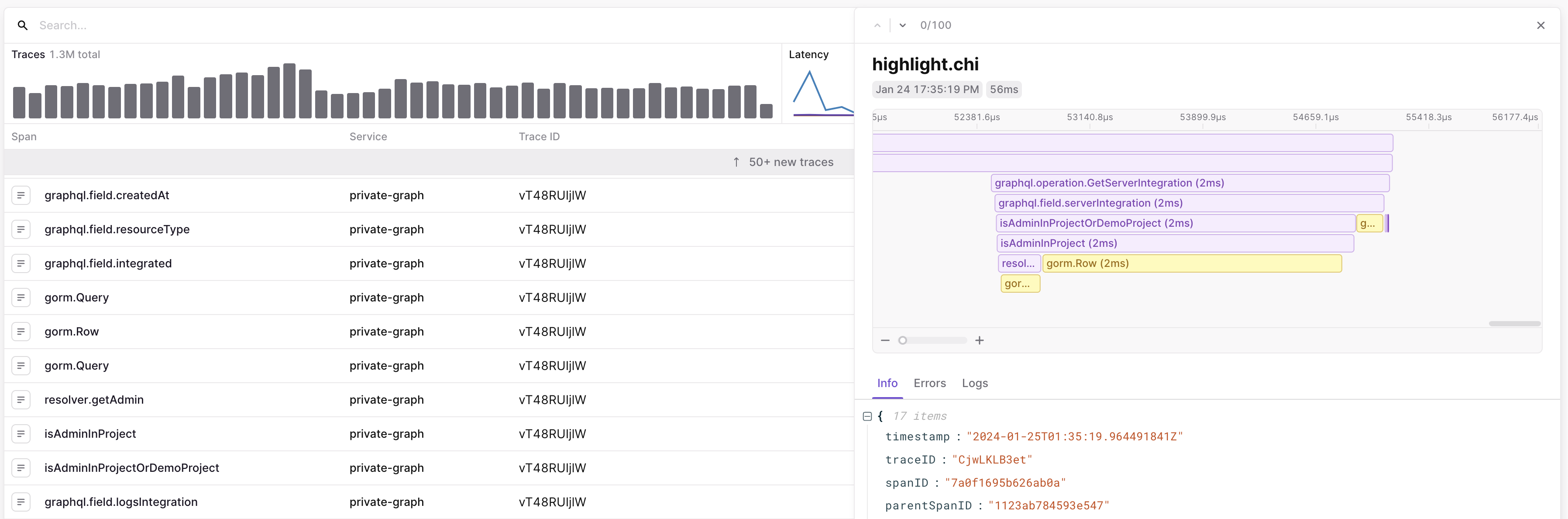
While the traces table provides efficient lookup of traces for a given time range (sorted by time), the traces_by_id table offers fast lookup of a trace for a given TraceId. We rely on this in the LaunchDarkly traces UI to build a flame graph, where we query for all spans for a given trace:
These two examples scratch the surface of how we use ClickHouse materialized views at LaunchDarkly. If you’d like to learn more or look at the code more closely, read our table definitions and source code in our Apache 2.0 licensed GitHub repository. Thanks!