For AI agents: a documentation index is available at the root level at /llms.txt and /llms-full.txt. Append /llms.txt to any URL for a page-level index, or .md for the markdown version of any page.
Sign inTry it free
DocsGuidesSDKsIntegrationsAPI docsTutorialsFlagship blog
  • Guides
    • Cheatsheets
    • Feature flags
    • AgentControl
    • Experimentation
    • Statistical methodology
    • Metrics
    • Infrastructure
    • Account management
    • Teams and custom roles
    • SDKs
    • Integrations
      • About LaunchDarkly integrations
      • Integrations use cases
      • Using flag triggers with Dynatrace
      • Building a change history event hook integration
      • Building an ephemeral Environments as a Service integration
      • Building a synced segments integration
      • LaunchDarkly Shopify Pixel
    • REST API
    • Additional resources
Sign inTry it free
LogoLogo
On this page
  • Example configuration code
  • Best practices and considerations
GuidesIntegrations

LaunchDarkly Shopify Pixel

Was this page helpful?
Previous

REST API

Next
Built with

This topic explains how to create a Shopify Custom Pixel that reports checkout events to LaunchDarkly. It uses the JavaScript SDK’s track and Shopify’s analytics.subscribe methods to capture checkout_started and checkout_completed events and report them to LaunchDarkly.
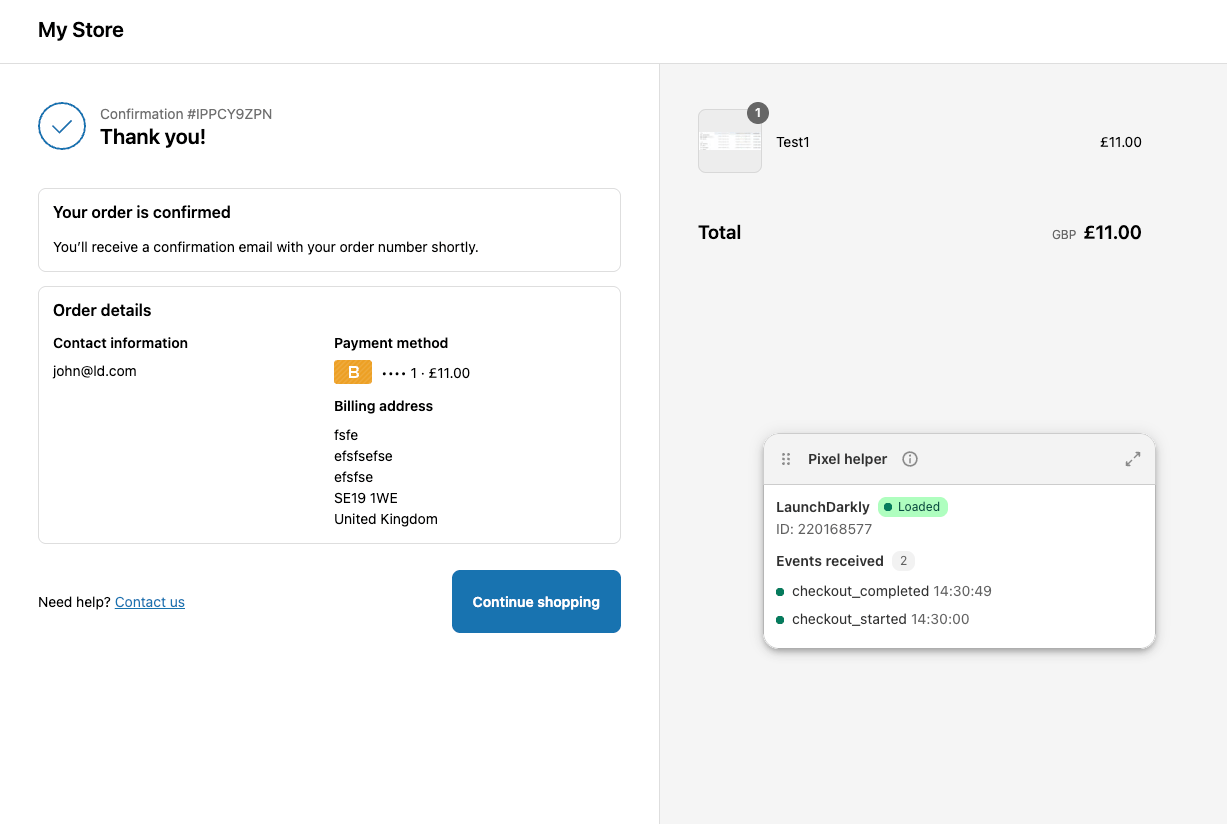
A Shopify checkout showing related events.

A Shopify checkout showing related events.

To learn more about the LaunchDarkly JavaScript SDK before you get started, read JavaScript SDK reference guide.

To learn how to configure a Shopify Custom Pixel, read Shopify’s documentation.

Example configuration code

Here is an example of code to configure a Shopify Custom Pixel that reports checkout events to LaunchDarkly. Depending on your specific implementation, you may need to modify the code to better fit your needs.

This code:

  • loads the LaunchDarkly SDK asynchronously
  • instructs waitForClient(fn) to poll until ldClient.track exists
  • subscribes to checkout_started and checkout_completed
  • uses the event’s client ID as the LaunchDarkly context key, and falls back to an anonymous context if this is not available
  • initializes or re-identifies the LaunchDarkly client inside the handler, then calls track()
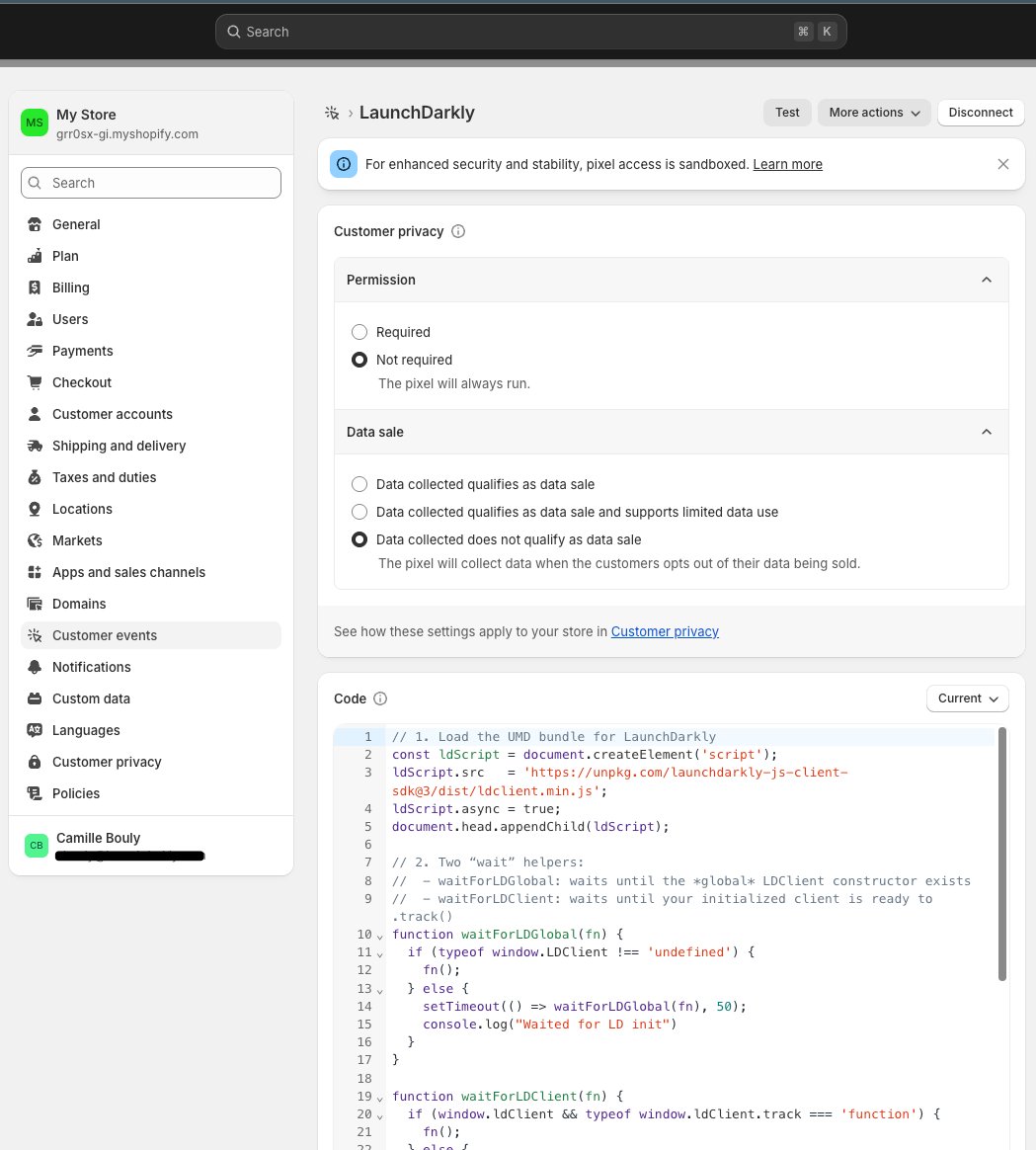
Here’s how:

Example Pixel configuration code
1// 1. Load LaunchDarkly
2const ldScript = document.createElement('script');
3ldScript.src = 'https://unpkg.com/launchdarkly-js-client-sdk@3/dist/ldclient.min.js';
4// As a best practice, we recommend not using unpkg in production environments. We use it here only because this is a demo environment.
5ldScript.async = true;
6document.head.appendChild(ldScript);
7
8// 2. Polling helper
9function waitForClient(fn) {
10 if (window.ldClient && window.ldClient.track) {
11 fn();
12 } else {
13 setTimeout(() => waitForClient(fn), 50);
14 }
15}
16
17// 3. Subscribe to checkout_started
18analytics.subscribe("checkout_started", (event) => {
19 const chk = event.data?.checkout || {};
20 const userKey = event.clientId || ('anon-' + event.clientId);
21 const ctx = { kind: 'user', key: userKey, email: chk.email };
22 const value = chk.totalPrice?.amount || 0;
23 window.ldClient = LDClient.initialize('YOUR_CLIENT_SIDE_ID', ctx);
24 waitForClient(() => {
25 window.ldClient.track('checkout_started', null, value);
26 });
27});
28// 4. Subscribe to checkout_completed
29analytics.subscribe('checkout_completed', (event) => {
30 const chk = event.data?.checkout || {};
31 const value = chk.totalPrice?.amount || 0;
32 waitForClient(() => {
33 window.ldClient.track('checkout_completed', null, value);
34 });
35});

Code configured in Shopify.

Code configured in Shopify

Best practices and considerations

If you decide to modify the code above, we recommend the following best practices:

  • Load the SDK before calling LDClient.initialize(). Using <script async> tags may result in errors.
  • Do not use modified JavaScript. Shopify’s Pixel environment can be restrictive, so for best results, do not rely on global Liquid variables.
  • Poll, do not buffer. Buffering events until the SDK is read can add unnecessary complexity. Polling for readiness is simpler.

If you have unexpected results, remember that Shopify’s analytics.subscribe fires as soon as the Pixel sandbox starts, which can be before the LaunchDarklySDK script has parsed.
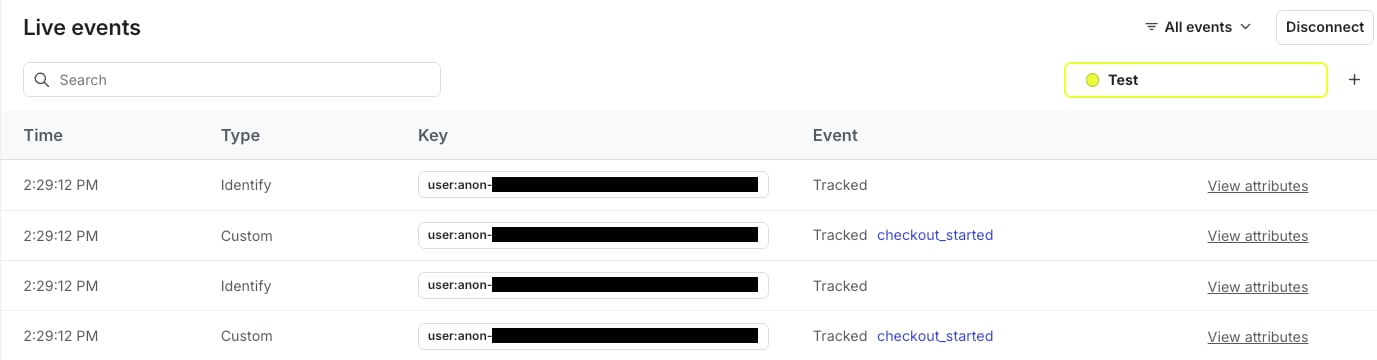
Shopify events data in LaunchDarkly.

Shopify events data in LaunchDarkly.