

Covariate imbalance and re-randomization
Covariate imbalance is a well-known problem in randomized controlled trials, such as experiments, where the control and treatment groups look significantly different from each other, despite the experiment audience being allocated by random chance. One common example of this in business-to-business (B2B) experiments is when the vast majority of users are low spenders, but a handful are very large spenders (sometimes called “whales”). A simple random sample can result in the scenario where all of the whales end up in one variation, creating an imbalance. Covariate imbalance can cause false positives or false negatives, because the differences in treatment audiences can overwhelm or obscure differences due to the effect of the treatment. Experiment re-randomization using stratified sampling is a way to mitigate this problem by using data available prior to the experiment to balance treatment allocation. When you have a pool of known contexts, such as users, and their associated metadata such as size or country, you can use this information to re-randomize your treatments. Re-randomization works by:- Generating many possible variation pool randomization options
- Generating statistical measures of the quality of balance of each randomization with respect to your given covariate
- Selecting the randomization with the best balance according to that measure
Example of stratified sampling in use
Imagine you’re a B2B e-commerce business running an experiment on your checkout flow with revenue as the success metric. Suppose you know that within your customer base, about 10% of your customers are “large” and 90% of your customers are “small”, where:- Large customers have mean revenue of $1000 per day
- Small customers have mean revenue of $10 per day
- Control: 10% large, 90% small
- Treatment: 5% large, 95% small
- Control:
0.10 * $1000 + 0.90 * $10 = $109per user - Treatment:
0.05* $1000 + 0.95 * $10 = $59.5per user
Stratified sampling in LaunchDarkly experiments
When you create a LaunchDarkly experiment, you can upload a CSV file populated with context keys and covariate values to reduce covariate imbalance. Your CSV should include known context keys that cover the full range of your covariate values. For example, if you have customers that fall into “small” and “large” buckets, you should include many contexts for each value.Avoid PII in CSV filesLaunchDarkly stores the information you upload in your CSV files. For this reason, we recommend that you do not upload any personally identifying information (PII). If you have PII in LaunchDarkly that you want to delete, contact Support.
- The first line must include the column names:
context_key,covariate_value. - Subsequent lines should contain the context key and its covariate value, separated by a comma. For example:
example-context-key,large. - The file may define additional columns and column data, but LaunchDarkly ignores this information.
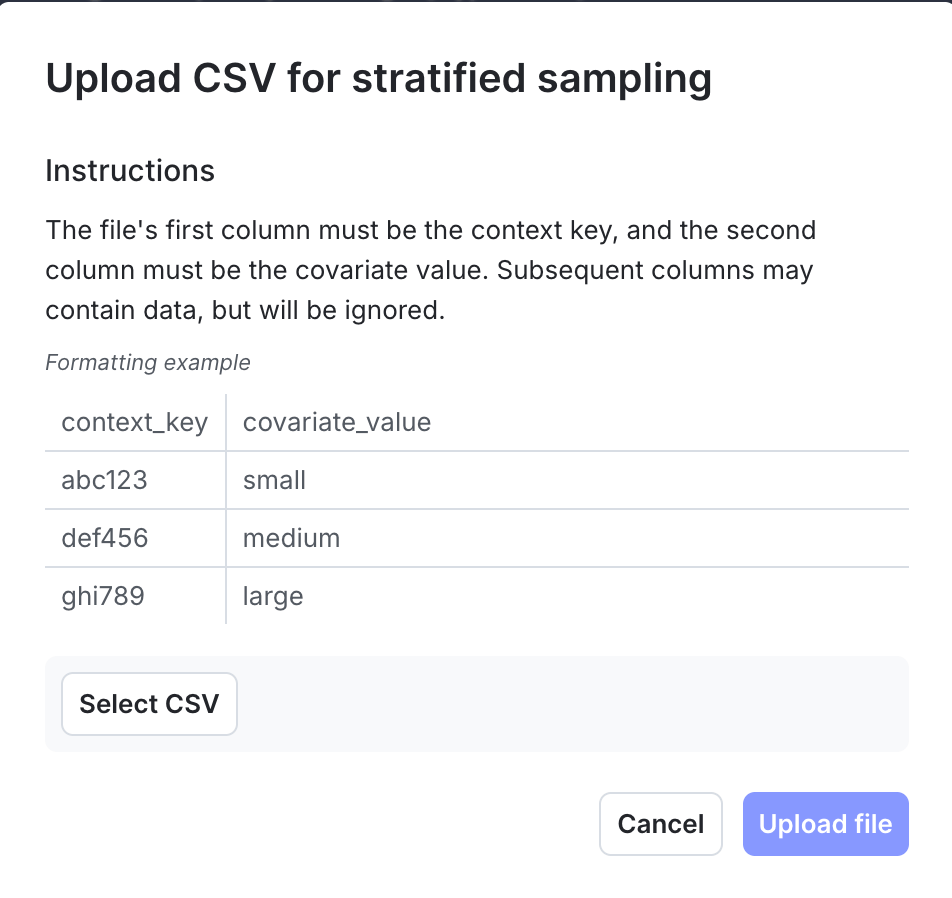
The "Upload CSV for stratified sampling" dialog.
Want to know more? Start a trial.Your 14-day trial begins as soon as you sign up. Get started in minutes using the in-app Quickstart. You’ll discover how easy it is to release, monitor, and optimize your software.
Want to try it out? Start a trial.
Want to try it out? Start a trial.