

app.py.
Here’s the booth before releasing the sparkle pack:
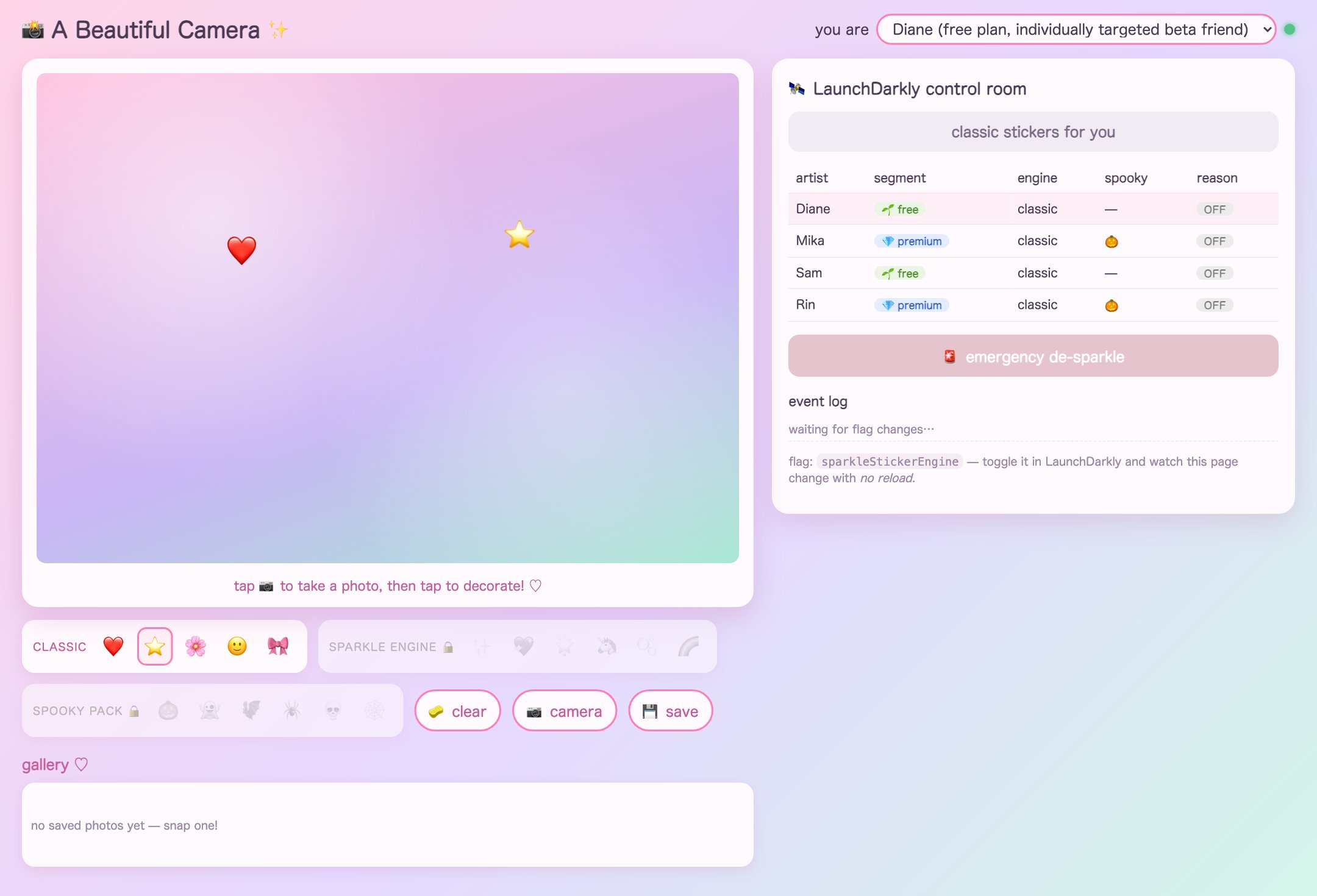
OFF for every artist.
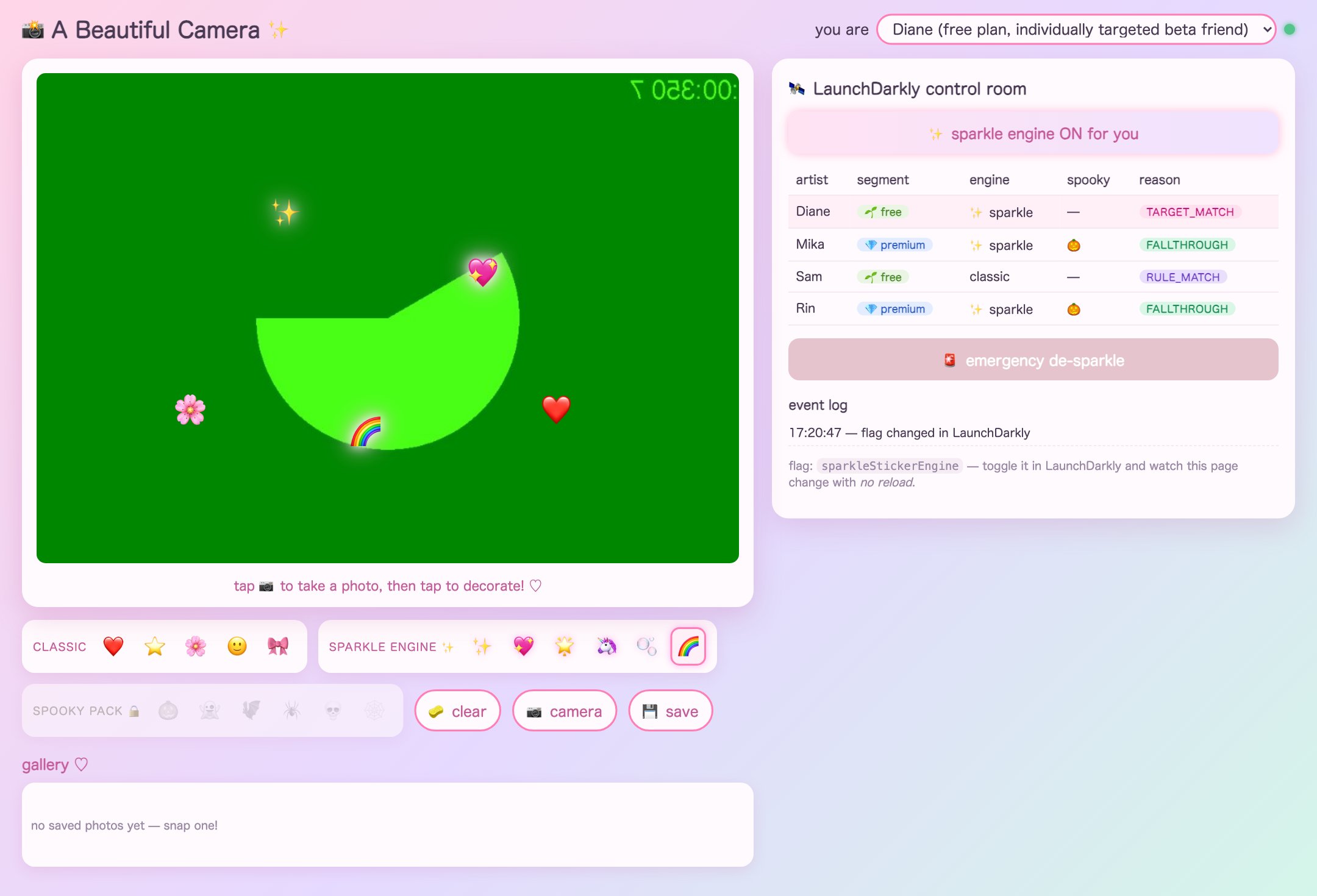
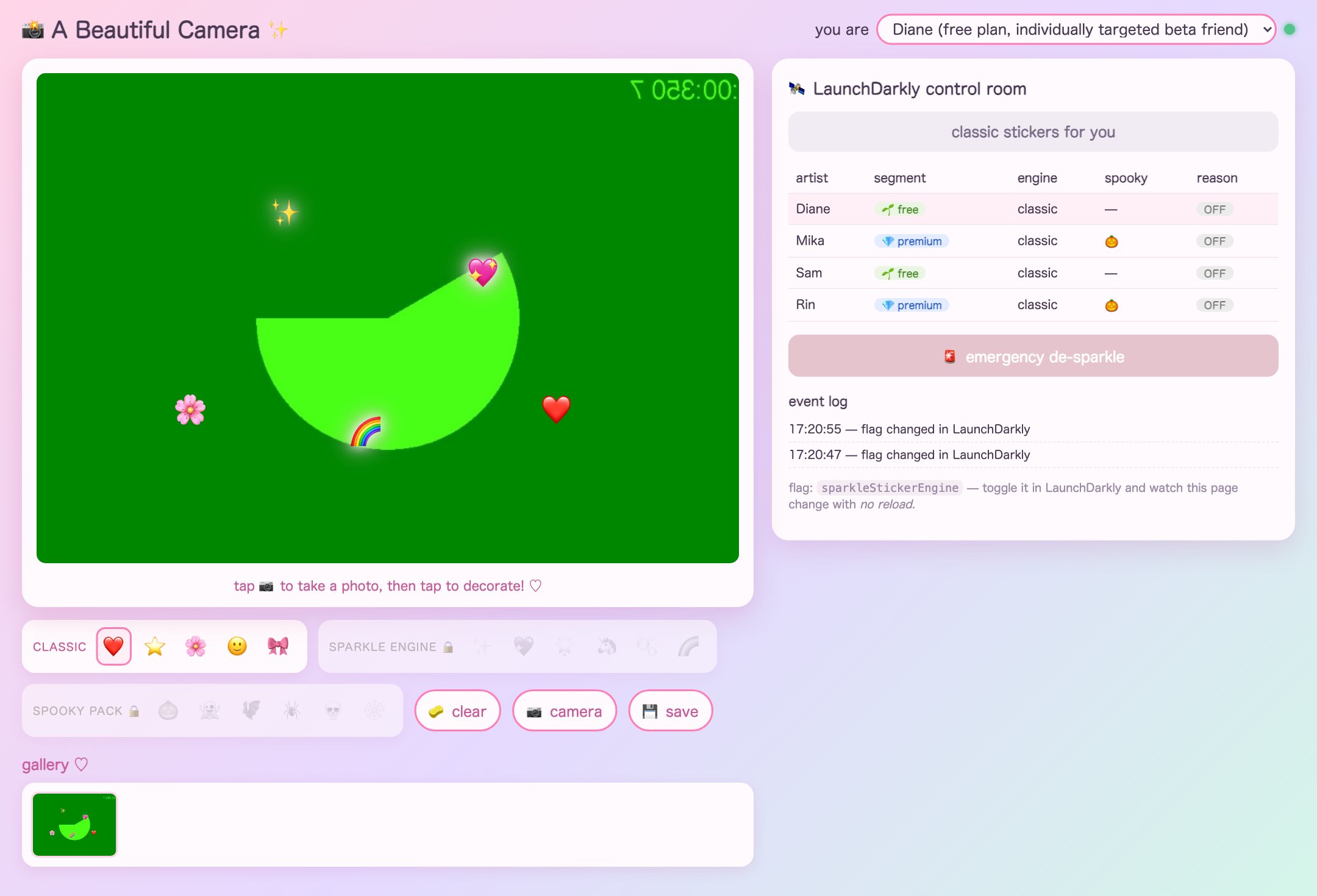
All screenshots show the actual app captured with Playwright using local SDK test data. The green camera image is Chromium’s simulated camera, not a person’s photo. Local flag fixtures and the app’s notification callback reproduce the tutorial’s release states. These captures do not verify a live LaunchDarkly stream or show the LaunchDarkly UI.
Tutorial requirements
To follow along, you need:- Python 3.10 or newer and Git installed on your computer.
- A code editor and a browser with camera support.
- A LaunchDarkly account with permission to create flags and segments in a project and environment.
- The server-side software development kit (SDK) key for that environment.
localhost or a site served over HTTPS. Browsers require a secure context and your permission for getUserMedia().
Understand the two live connections
A feature flag separates deploying code from releasing a feature. We can deploy the sparkle pack with the rest of the application, then decide who can use it throughsparkleStickerEngine. The Python server evaluates that flag for each artist.
WebSockets solve a different part of the experience: keeping a browser and server in communication after the page loads. We use Socket.IO for named, bidirectional events. It can use WebSocket transport and fall back to HTTP long-polling. Because Socket.IO adds its own protocol, this app uses its JavaScript client rather than the browser’s native WebSocket constructor.
There are two separate connections in this design:
Set up the Python application
Clone the project and create a virtual environment:.venv\Scripts\Activate.ps1 and copy the configuration with Copy-Item .env.example .env.
The dependencies include Flask for routes and templates, Flask-SocketIO and simple-websocket for browser events, launchdarkly-server-sdk for flag evaluation, and python-dotenv for local configuration. The flag-change listener requires Python SDK version 9.1 or later. Install a compatible version if your existing environment has 9.0:
.env and replace the placeholder SDK key with the server-side key from your chosen LaunchDarkly environment:
Configure the sticker flags
Create the flags in the same project and environment as your SDK key. Flag keys are case-sensitive. Start by defining the reusable audiences:- Open your environment’s Segments page.
- Create a segment with the key
free-tier. - Add a rule matching the
artistcontext kind’splanattribute tofree. - Save the segment.
- Create a segment with the key
premium-tier. - Add a rule matching the
artistcontext kind’splanattribute topro. - Save the segment.
- Create a boolean flag with the key
sparkleStickerEngine. - Set its off variation to
false. - Add an individual target for context kind
artist, keydiane-artist, servingtrue. - Add a targeting rule matching the
free-tiersegment, servingfalse. - Set the default rule to serve
true. - Save the configuration with targeting off in your chosen environment.
- Create a boolean flag with the key
spookyStickerPack. - Set its off variation to
false. - Add a targeting rule matching the
premium-tiersegment, servingtrue. - Set the default rule to serve
false. - Save the configuration and turn targeting on.
Diane receives sparkle even though she matches the free-tier segment because individual targeting takes precedence over custom rules, assuming prerequisites are satisfied. When targeting is off, the configured off variation applies, including to Diane.
Initialize the SDK and evaluate each artist
Openapp.py. The main() function initializes one shared LaunchDarkly client before starting the server. This excerpt shows the default setup. The repository also supports optional endpoint overrides:
build_context(), the app creates an artist context with a stable key and attributes that match our rules:
p is the selected persona’s record from PERSONAS. The multi-kind context combines artist, which supplies targeting attributes, with user, which the sample reserves for experiment randomization. You can use an artist context alone when experimentation is outside your application’s scope.
The evaluate() function retrieves the sparkle decision and its explanation:
False is the fallback if evaluation cannot produce a value. It is separate from the off variation you configured in LaunchDarkly. A temporary stream interruption does not automatically turn the flag off: the SDK can continue using its last known flag data.
The function returns each artist’s decisions with detail.reason. The control room displays reasons such as OFF, TARGET_MATCH, RULE_MATCH, and FALLTHROUGH, connecting the visible sticker palette to the rule that selected it. Its segment labels are derived from the demo personas’ plans. They are not a segment-membership response from LaunchDarkly.
Send flag changes to browsers without a reload
The server creates its Socket.IO instance near the top ofapp.py:
python app.py so it uses socketio.run(), as shown above.
The registered listener connects SDK changes to the browser event stream:
flag_change.key identifies a changed flag. It does not contain one universal boolean for every visitor. The callback re-evaluates the personas because the same flag can serve different values to Diane and Sam. It uses socketio.emit() to broadcast from outside a browser request handler.
In static/booth.js, the client receives those decisions:
applyEvaluations() finds the current artist, enables or disables their palette buttons, and updates the control room. If a selected sparkle sticker becomes unavailable, it switches the selection back to a classic heart. There is no location.reload(), which means the current photo and placed stickers remain on screen.
After enabling sparkle, compare the unlocked palette with each artist’s evaluation reason:
Share the photo and sticker placements
First, connect each browser to the booth. The client creates its connection withconst socket = io() and joins on every connection, including reconnections:
join() sends the selected persona. The server’s handle_join() records the Socket.IO session ID and responds to that browser with a booth_state snapshot containing the photo, stickers, gallery, and current evaluations. This matters because a browser that was disconnected during a flag change must get current state when it returns.
The camera stays local until someone takes a snapshot. In the camera button handler, request a front-facing video stream without audio:
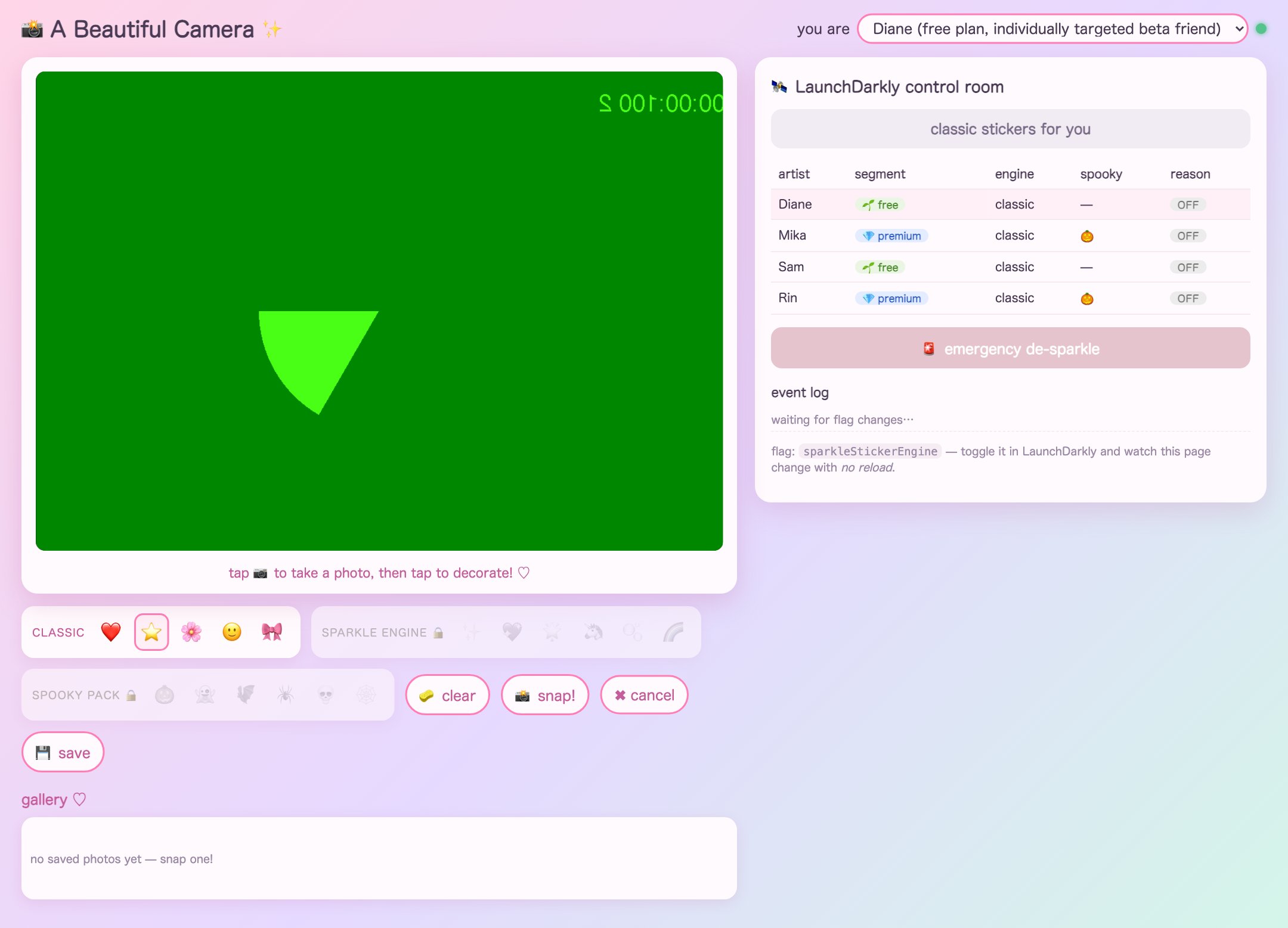
set_photo, and stops the camera tracks. The server validates the data URL, replaces the shared photo, clears the previous stickers, and broadcasts photo_updated. Everyone in this demo shares one booth, which means a new photo replaces the backdrop for all connected visitors. Live camera video is not broadcast.
Sticker placement uses the same event-driven pattern. The client converts a click to percentage coordinates so different screen sizes can show the sticker in the same relative position:
sticker_added to everyone. Each browser calls addSticker() to display the server’s accepted result, including the sparkle or spooky effect.
Hiding a palette is useful feedback, but the server must enforce the flag too. This excerpt from handle_place_sticker() performs that check before saving or broadcasting a sticker:
gallery/ and broadcasts gallery_added, letting the browsers show the new thumbnail.
After saving, check that your decorated photo appears in the gallery:
Test the release with two browsers
Start the application from your activated virtual environment:- Select Diane in one window and Sam in the other.
- Take a photo with camera and snap!, or keep the pastel backdrop.
- Place a classic sticker and confirm it appears in both windows.
- Turn on
sparkleStickerEnginein your LaunchDarkly environment and save the change. - Confirm Diane’s sparkle palette unlocks while Sam’s remains locked.
- Place a sparkle sticker as Diane and confirm both windows display it.
- Switch Sam’s window to Mika and confirm the sparkle and spooky packs are available.
- Turn off
sparkleStickerEngineand save the change. - Confirm both windows lock sparkle placements while keeping the photo and existing stickers.
- Place another classic sticker and save the decorated photo to the gallery.
- Refresh one window and confirm it receives the current photo, stickers, gallery, and flag decisions.
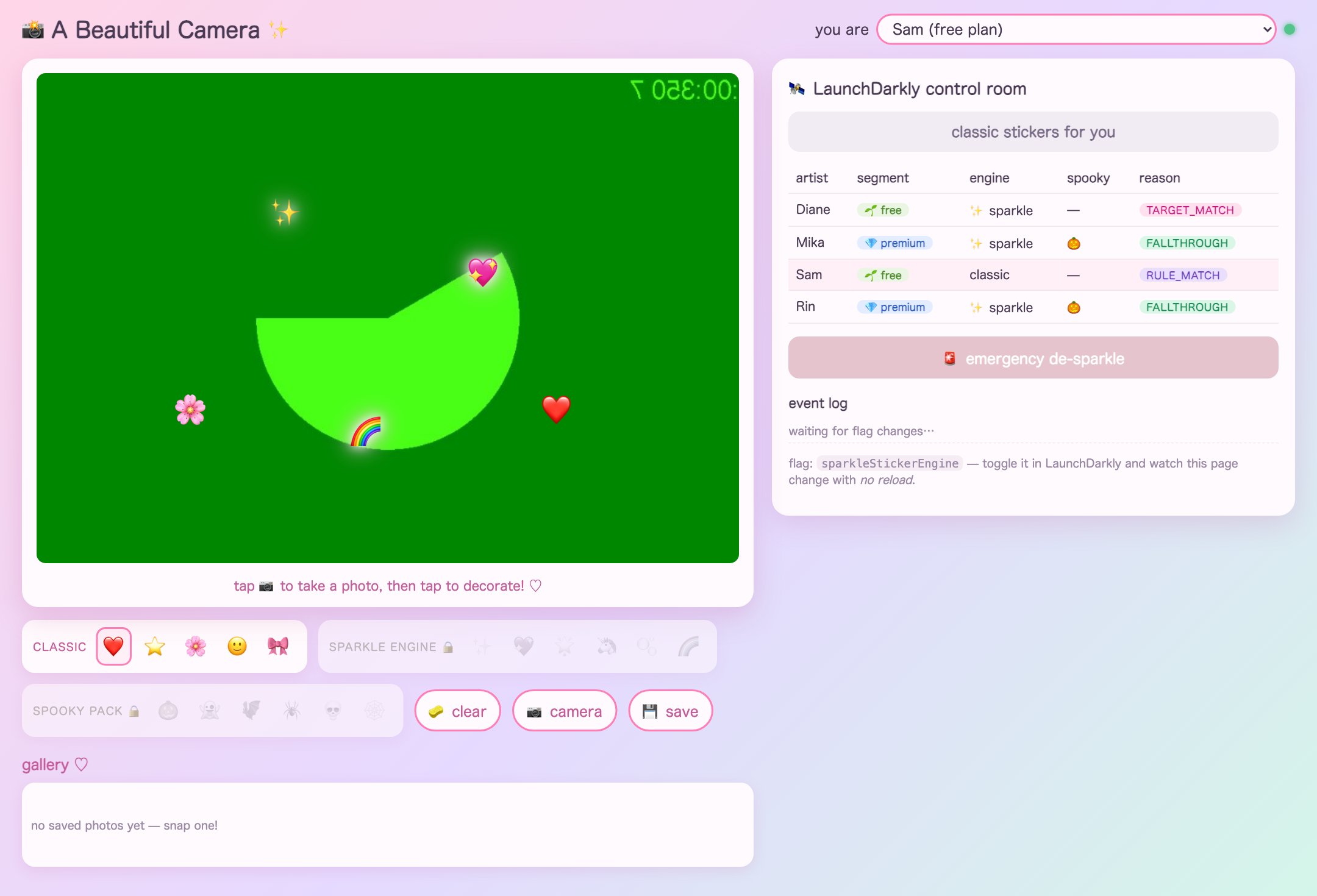
RULE_MATCH keeps his own sparkle palette locked.
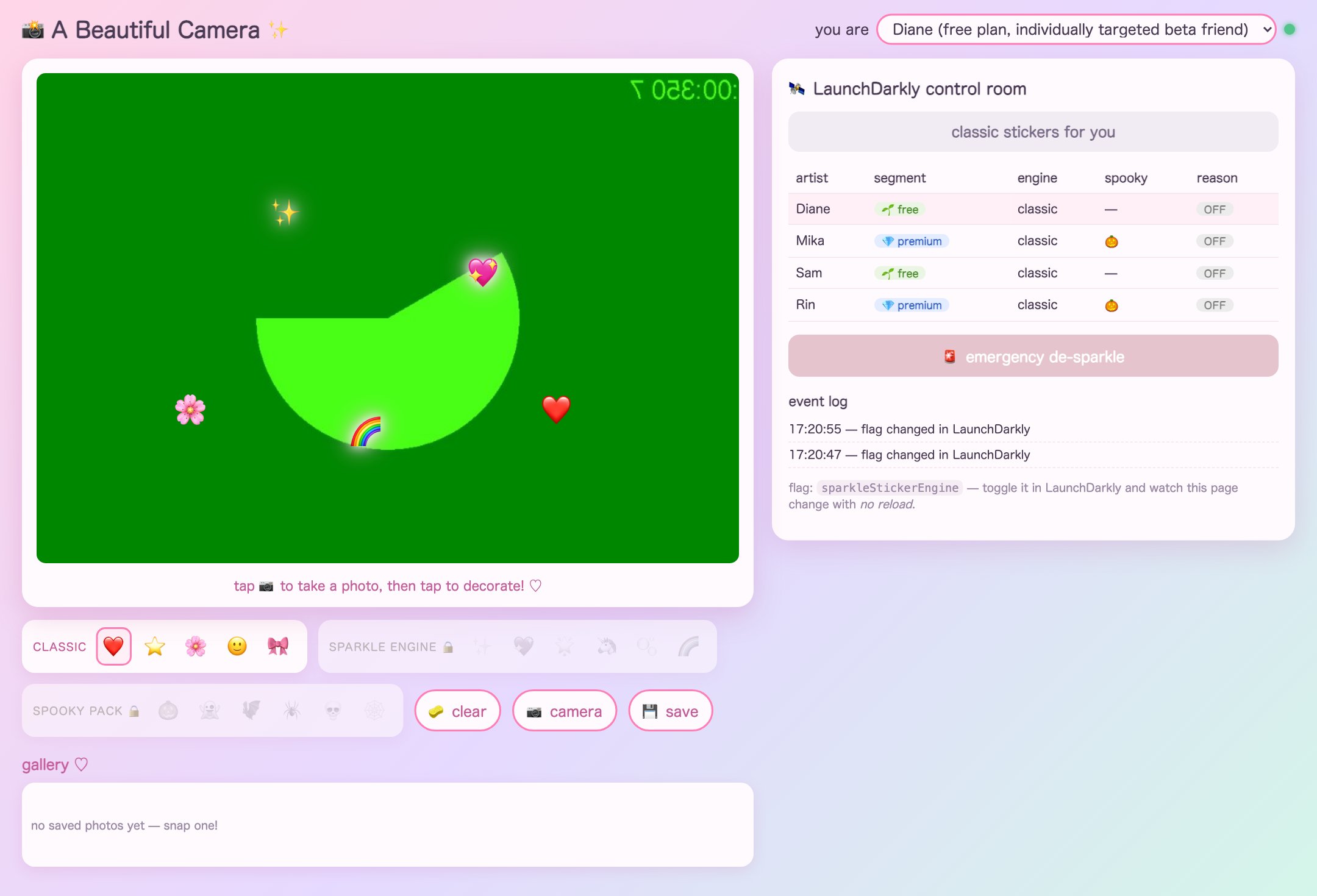
Turning the flag off acts as a kill switch for new sparkle placements. It does not remove existing sparkle effects or stop all sticker rendering. A rollback designed to stop a faulty animation entirely would also need to disable effects on existing stickers.
After rollback, look for locked sparkle controls and the preserved artwork:
Add an optional emergency trigger
The toggle in the LaunchDarkly UI is enough to demonstrate rollback. The sample also includes an emergency de-sparkle button that posts to a configured LaunchDarkly trigger. If your account supports a trigger that turns flag targeting off, create one forsparkleStickerEngine in the same environment, then add its URL to .env:
api-...), not the server-side SDK key:
triggerURL from the 201 response into LD_TRIGGER_URL. LaunchDarkly returns that URL only on create.
Restart the Python server to load the new variable. The button calls /api/panic. That server route sends the POST request to LaunchDarkly. The normal SDK listener and Socket.IO path then updates the browsers. Keep the trigger URL on the server because anyone who possesses it may be able to invoke its action. Read the LaunchDarkly trigger documentation for current availability and setup.
The sample panic route has no authentication. Protect this administrative action before exposing it beyond a controlled demo.
Troubleshoot the live updates
Use these checks to narrow down a setup issue:Keep building your photo booth
You now have a working release exercise: deploy a sticker feature, expose it to selected artists, propagate updated decisions to open browsers, and disable new placements while visitors keep decorating. For your next iteration, add private booth rooms so separate groups can decorate their own photos. The current app keeps one shared booth in Python memory and saves gallery images on local disk. Running multiple server processes requires shared application state and coordinated Socket.IO broadcasts. The development server configuration in this sample is for the tutorial. You can also explore engagement metrics. The app already callstrack("sticker-placed", build_context(persona)) for accepted placements. Configure a metric and experiment separately to investigate whether access to the sparkle pack changes behavior. Tracking an event alone does not establish an experiment or a causal result.
Try a seasonal pack, a different camera frame, or an artist-only beta. The same pattern applies: evaluate the feature on the server, notify connected browsers when decisions change, and validate gated actions when they arrive.