

The New Relic events integration is available to customers on select plansThe New Relic events integration is only available to customers on select plans. To learn more, read about our pricing. To upgrade your plan, contact Sales.
This integration is only available for New Relic One Pro accountsThis integration only works with a New Relic One Pro subscription. Check your subscription details on your New Relic account billing page.
Prerequisites
To configure the integration, you must create a User key in your New Relic One account. User keys are unique to your New Relic One account. If you delete your New Relic One account, the integration will need to be reconfigured under a different New Relic One user account.Configure LaunchDarkly to send flag change events to New Relic One
To configure LaunchDarkly to send events to New Relic One:- Click the gear icon in the left sidebar to view Organization settings.
- Click Integrations and find “New Relic One.”
- Click Add integration. The “Create New Relic One configuration” panel appears.
- Give the integration a human-readable Name.
- Paste in your New Relic User key.
- Paste in your New Relic application ID.
- (Optional) If you have an EU Region New Relic account, select the EU option in the Data Center menu.
- (Optional) Configure a custom policy to control which flag information LaunchDarkly sends to New Relic One. To learn more, read Add custom policies to the New Relic One integration.
- After reading the Integration Terms and Conditions, check the I have read and agree to the Integration Terms and Conditions checkbox.
- Click Save configuration.
Add custom policies to the New Relic One integration
LaunchDarkly sends all flag change events in the production environment to New Relic One by default. To customize the events LaunchDarkly sends to New Relic One, use the policy editor in the configuration panel. To learn more about creating a policy, read Example roles and policies.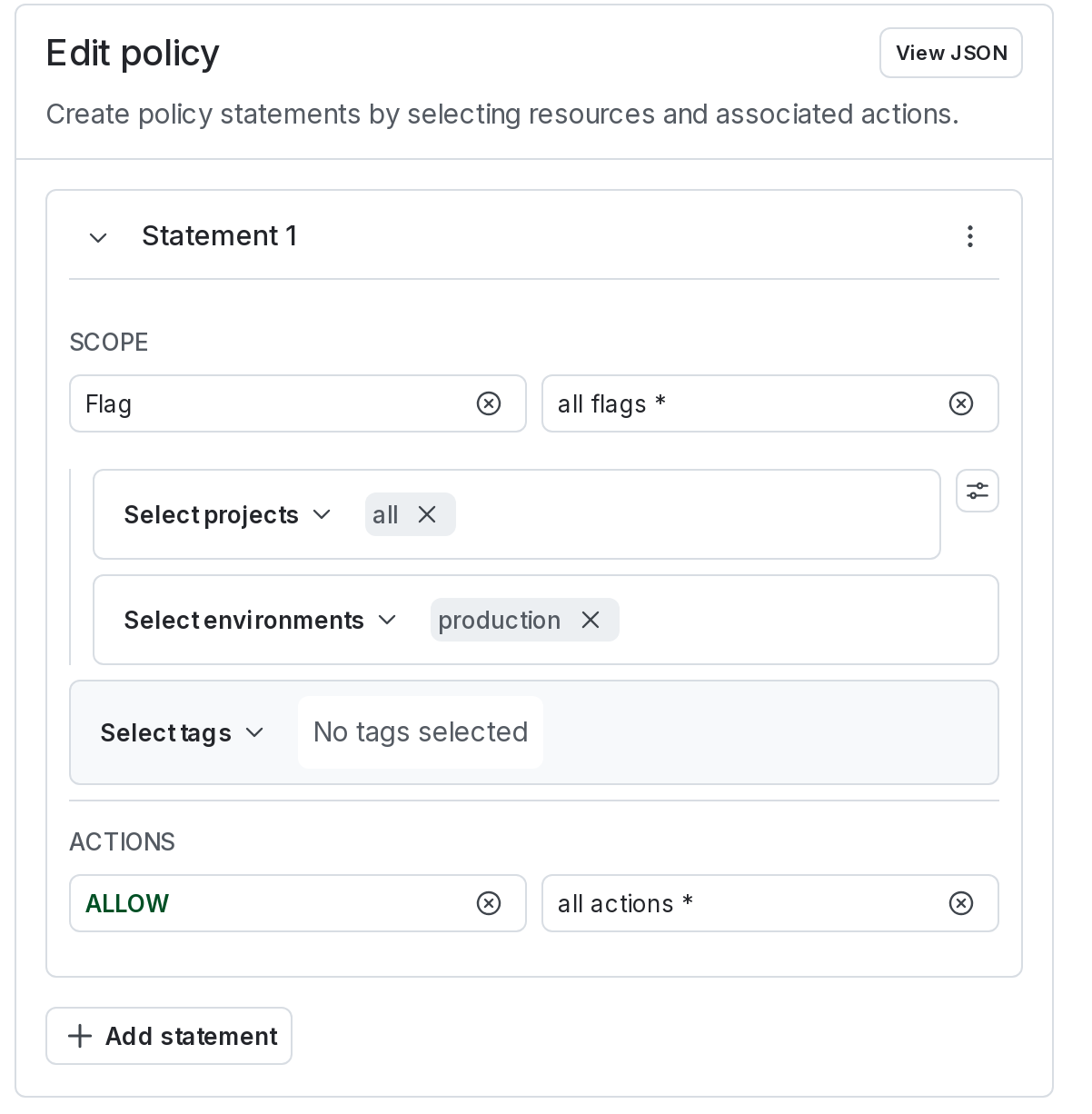
The policy editor.
Access LaunchDarkly events in New Relic One
To view LaunchDarkly events in New Relic One, navigate to your application’s APM dashboard, then select the Event log tab on your sidebar and filter for “Deployments” link on the sidebar. Any flag change events in your production environment (default policy) will create a new deployment event. You will be able to view the impact of that flag change within this deployment page.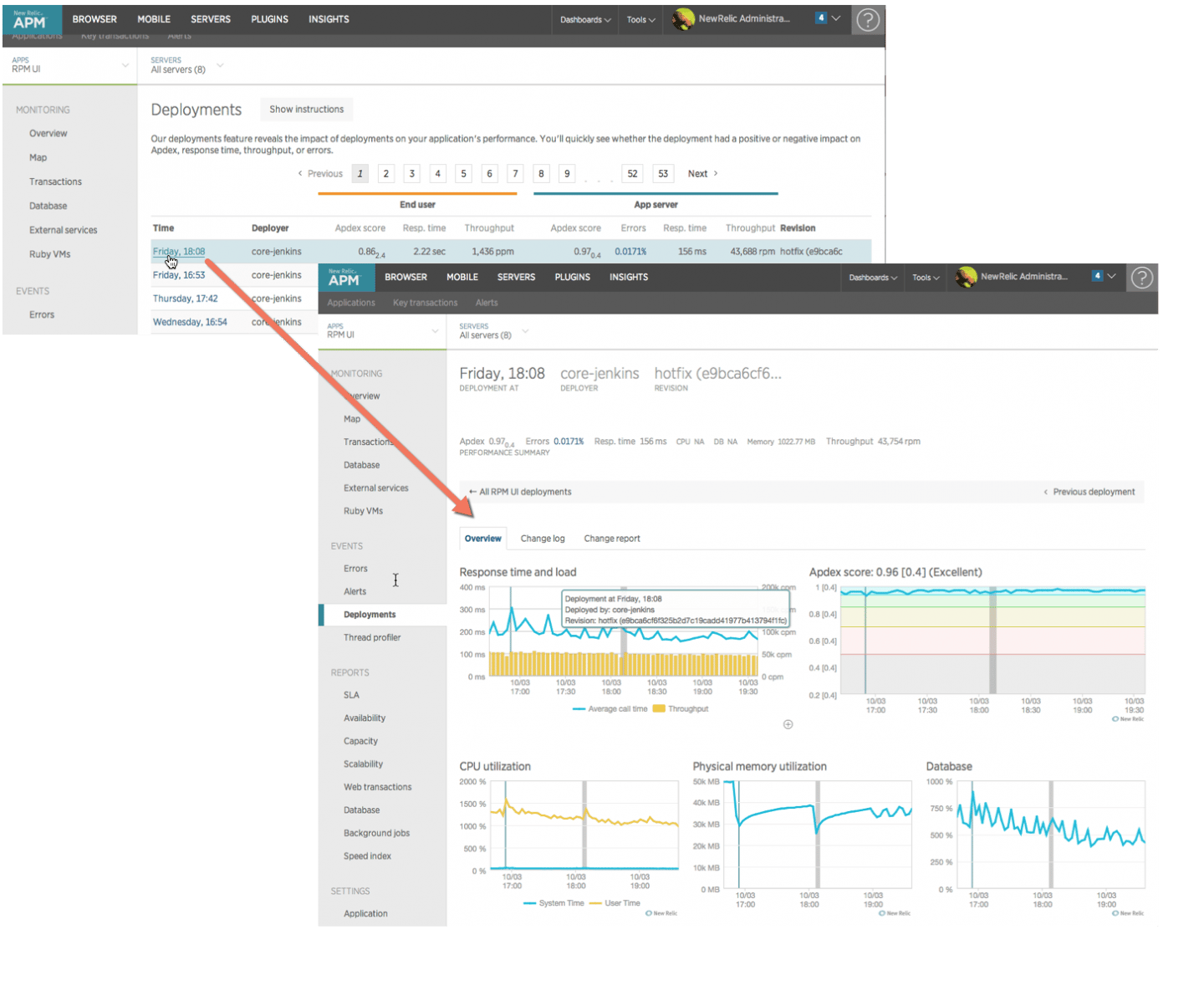
Deployments in New Relic One