

Toggle flags on and off from Slack
You can turn flag targeting on or off from within Slack. To turn a flag’s targeting on or off:- Click the View details button on a flag change notification, or paste a link to the flag in Slack.
- Click the three-dot overflow menu item in the flag details message.
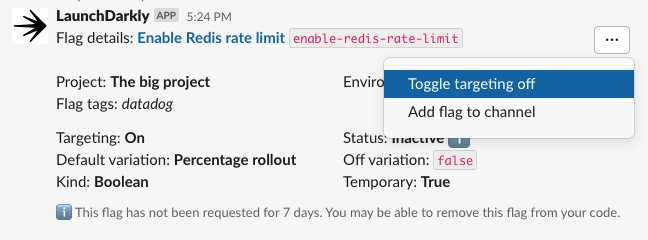
The "Flag Overview" message with the "Toggle targeting off" overflow menu item selected.
- Select Toggle targeting off or Toggle targeting on.