

Mutually exclusive experiments and holdouts are differentMutually exclusive experiments and holdout experiments are similar, but are used for different reasons. Mutually exclusive experiments use layers to ensure end users are not included in two or more specific experiments at the same time. Holdout experiments withhold a set of end users from all experiments. To learn more, read Holdouts.
Experiment layers
LaunchDarkly Experimentation achieves mutually exclusive experiments using “layers.” You can add two or more experiments to a layer to ensure that those experiments never share the same traffic. All of the experiments within a layer must randomize by the same context kind, such as “user.” For example, you can create a “Checkout” layer that you add all of your experiments related to the checkout process to. Then, if you run multiple experiments at once, customers are never exposed to more than one experimental variation at a time. Here is an example of three different layers: a “Promotions” layer with three experiments, a “Product pages” layer with two experiments, and a “Checkout” layer with three experiments: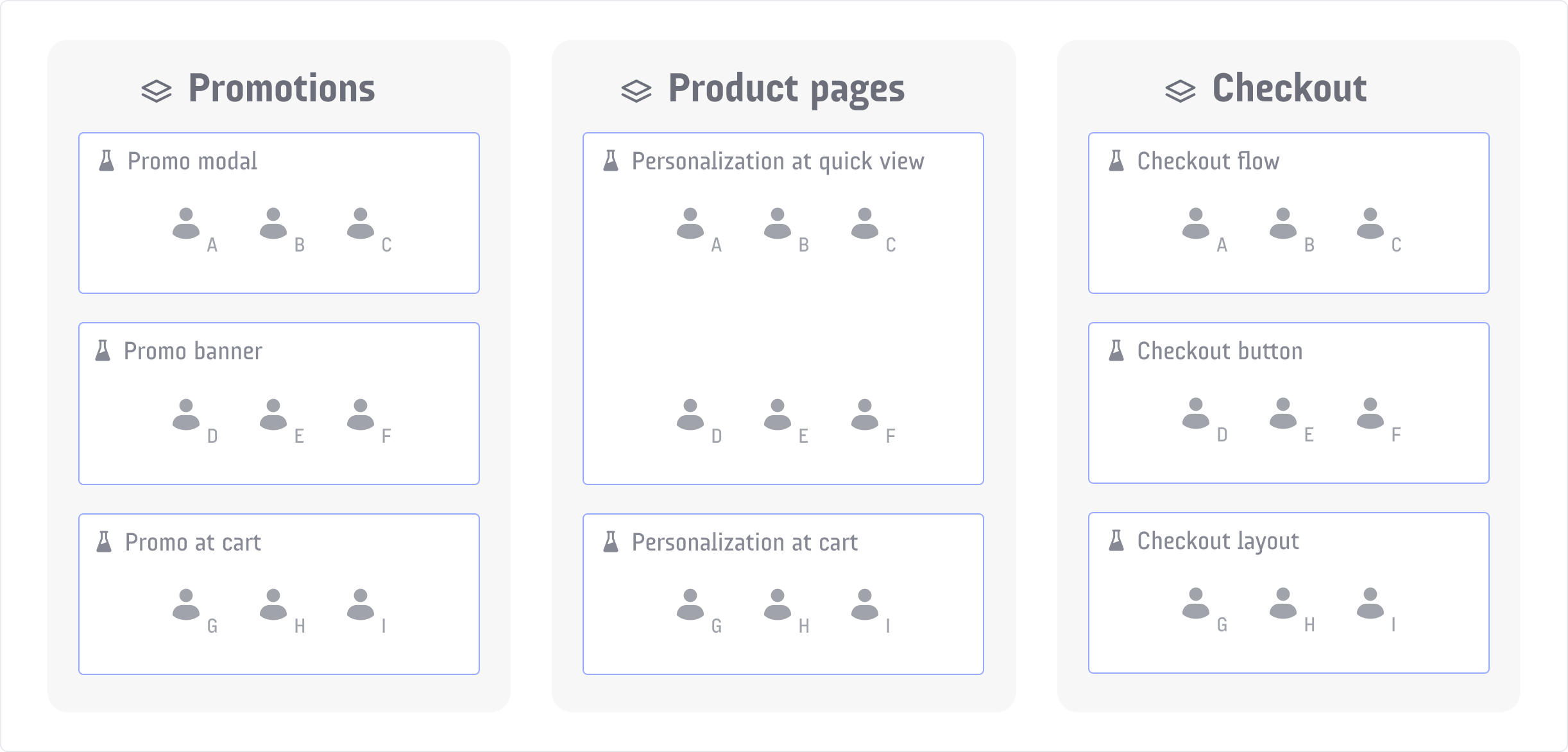
A diagram of three different layers, with 2-3 experiments in each layer.
Reservation amounts
Before you create an experiment, decide how much of the layer’s traffic you want to include in the experiment. This is called the “reservation amount.” The more experiments you expect to include in the layer, the lower the reservation amount be. For example:- If you plan to have only two experiments in the layer, you might want to reserve 50% of traffic for each.
- If you plan to have five experiments in the layer, you might want to reserve 20% for each.
- 25% of a layer’s contexts are reserved for a specific experiment
- of that 25%, 21% of the audience is included in the experiment, and 4% is excluded from the experiment and served the control variation
- of the 21% in the experiment, 7% is assigned to each variation.
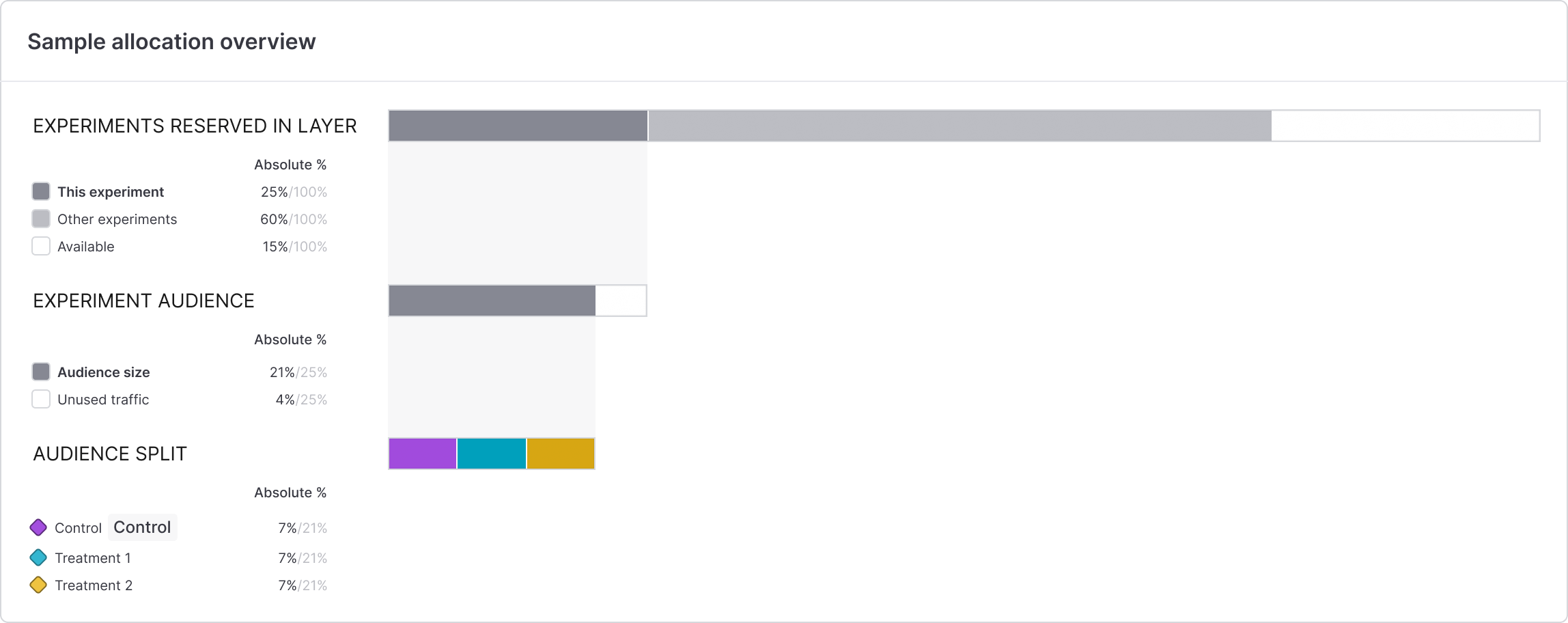
An illustration of audience allocation within an experiment in a layer.
Create new layers
When you create an experiment, you can either:- add the experiment to an existing layer, or
- create a new layer, and add the experiment to that new layer.
Experiments cannot be in a holdout and in a layer at the same timeExperiments can either be in a holdout, or in a layer, but not both. If an experiment is part of a holdout, you will not see the option to add it to a layer when you create it. To learn more, read Holdouts.
- Follow the directions to create a new experiment.
- In the “Set audience” step, check the Add experiment to layer checkbox.
- Click Create layer.
- Add a Name.
- Add a Description.
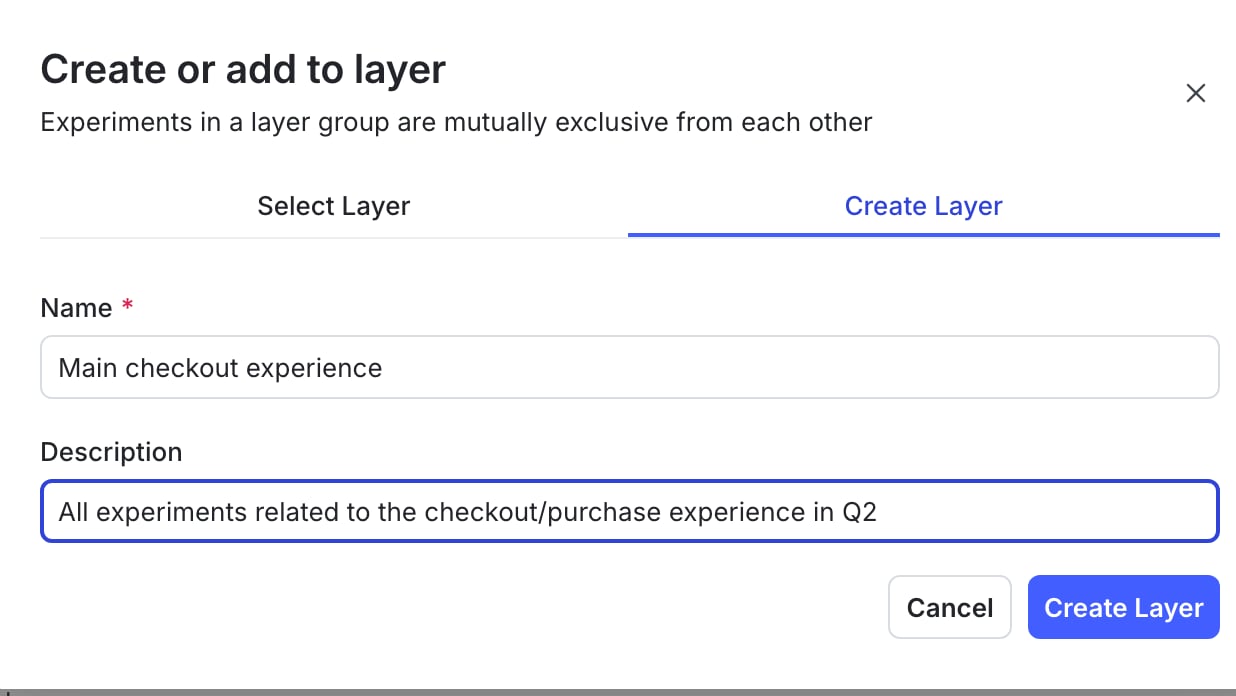
Creating a new layer.
- Click Create layer.
- Add a Reservation amount.
- Continue to the “Define audience” step and finish creating the experiment.

You can also use the REST API: Create layer
Add experiments to existing layers
To add a new experiment to an existing layer:- Follow the directions to create a new experiment.
- In the “Set audience” step, check the Add experiment to layer checkbox.
- Click Select layer.
- Select an existing layer from the layer menu. You can view all of the existing layers and the experiments within them at this step.
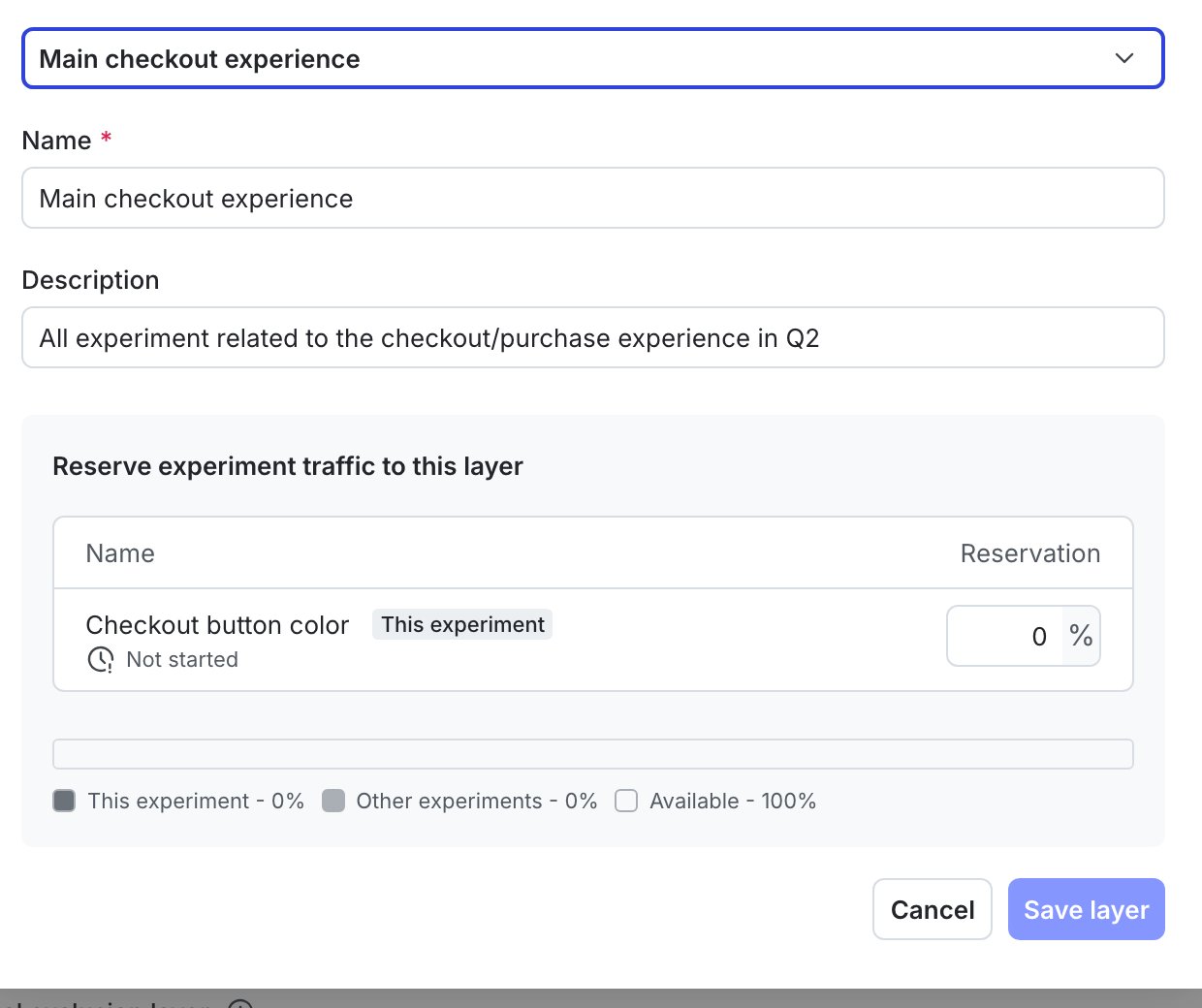
Adding a new experiment to an existing layer.
- Add a Reservation amount.
- Continue to the “Define audience” step and finish creating the experiment.
You can also use the REST API: Create experiment
Remove experiments from layers
To remove an experiment from a layer:- Navigate to the Design tab of your experiment.
- Click Edit experiment.
- Navigate to the “Audience” section and click the pencil icon.
- Uncheck the Add experiment to layer checkbox.
- Click Save.