

- Use release policies to define the default methods and configurations for new releases.
- Use release pipelines to standardize how your organization delivers releases.
- Reinforce consistent release practices across your organization
- Encourage safer release methods in production
- Prevent risky or inconsistent release setups
- Improve adoption of progressive and guarded releases
- Manual release: delivers a specific variation to all targeted contexts without staging. This is the default method.
- Percentage release: delivers a variation to a fixed percentage of contexts.
- Progressive release: gradually increases the percentage of contexts that receive a flag variation over time.
- Guarded release: gradually increases the number of contexts served the new flag variation while monitoring metrics for regressions.
Manual and percentage releases are not configurable through release policiesManual and percentage releases are valid rollout strategies but are not configurable through release policies.
Best practices for creating release policies
Release policies are most effective when they reflect your organization’s goals for rollout safety and consistency. Follow these practices to improve policy adoption and clarity:- Create a default policy to promote consistent release methods across environments.
- Use scoped policies to apply stricter controls in production or other critical environments.
- Define default rollout settings in each policy, such as rollback behavior, stages, and metric thresholds, to reduce manual setup.
- Use clear and descriptive names so developers and project members understand when each policy applies.
How release policies behave
This section explains how release policies function in LaunchDarkly, including how they guide configuration decisions, display recommendations in the UI, and determine which policy applies when more than one is defined.Purpose and behavior
Release policies define preferred release methods and default configuration settings for one or more environments in a project. They help organizations promote consistent rollout standards and safer release practices while allowing flexibility when needed.Recommended and displayed settings
LaunchDarkly highlights the preferred release method when you configure a flag. If your project members select a release method that differs from the policy for the environment, LaunchDarkly displays a recommended label and explains how the configuration differs. Project members can continue without adopting the recommendation. Release policies appear in the flag targeting interface as part of the release method selection process. This allows your organization to confirm configuration choices without leaving the targeting workflow.Scope and priority
Each policy includes a scope that defines where it applies. Assign a policy to one or more environments, or create a default policy with no defined scope. The default policy applies to all environments not already covered by another policy. Policies can target more specific subsets of flags. You can refine scope using flag tags, flag views, context kinds, or stages. For progressive and guarded releases, policies can include configuration defaults such as rollout stages, durations, metrics, metric groups, regression thresholds, and rollback behavior. When multiple policies apply to a flag, LaunchDarkly uses the one with the highest priority. Policy order determines priority. You can reorder policies in the Release settings panel or by using the API.
You can also use the REST API: Release policies
Create and manage release policies
Create and manage release policies in the Release settings panel of each project. Use this panel to define new policies, edit existing ones, and adjust their priority order. To create a release policy:- Click the project dropdown. The project menu appears:
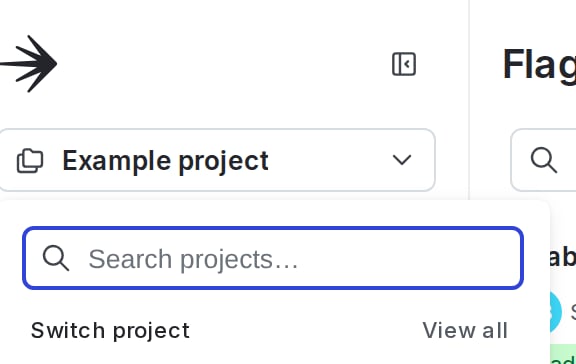
The project menu.
- Select Project settings.
- Select Release settings. The release settings panel appears.
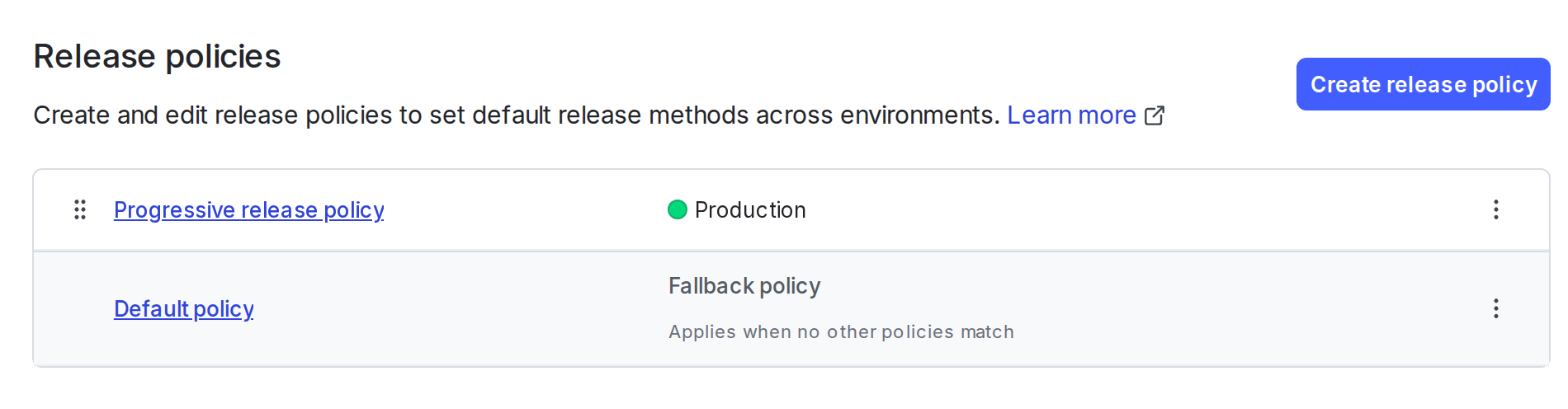
The release settings panel.
- Click Create release policy.
- Enter a name for the policy. LaunchDarkly generates a key based on the name, which you can edit.
- Click + Add condition. Select one or more environments or other conditions where the policy applies. To create a default policy, leave the condition list empty.
- Under “Configure the policy,” select Progressive release or Guarded release.
-
Click Add setting to add release settings to the policy.
Progressive releases use these settings:
- Context kind: Select a context kind to use as a target for the release.
- Traffic progression: Configure how to increase the percentage of contexts that receive a variation over time.
- Metrics: Select individual metrics and metric groups to use as release guardrail metrics. LaunchDarkly automatically adds release guardrail metrics to guarded releases where the policy applies. All release guardrail metrics must use the same context kind.
- Auto-rollback: Choose whether to revert the release automatically if LaunchDarkly detects a regression in a monitored metric.
- Click Create policy.
Examples
These examples show how organizations use release policies to promote safer and more consistent release practices across environments.Require guarded releases in production
An organization wants to ensure all production releases follow a standardized risk mitigation process. To support this, it creates a default release policy that defines guarded release as the preferred method for the production environment.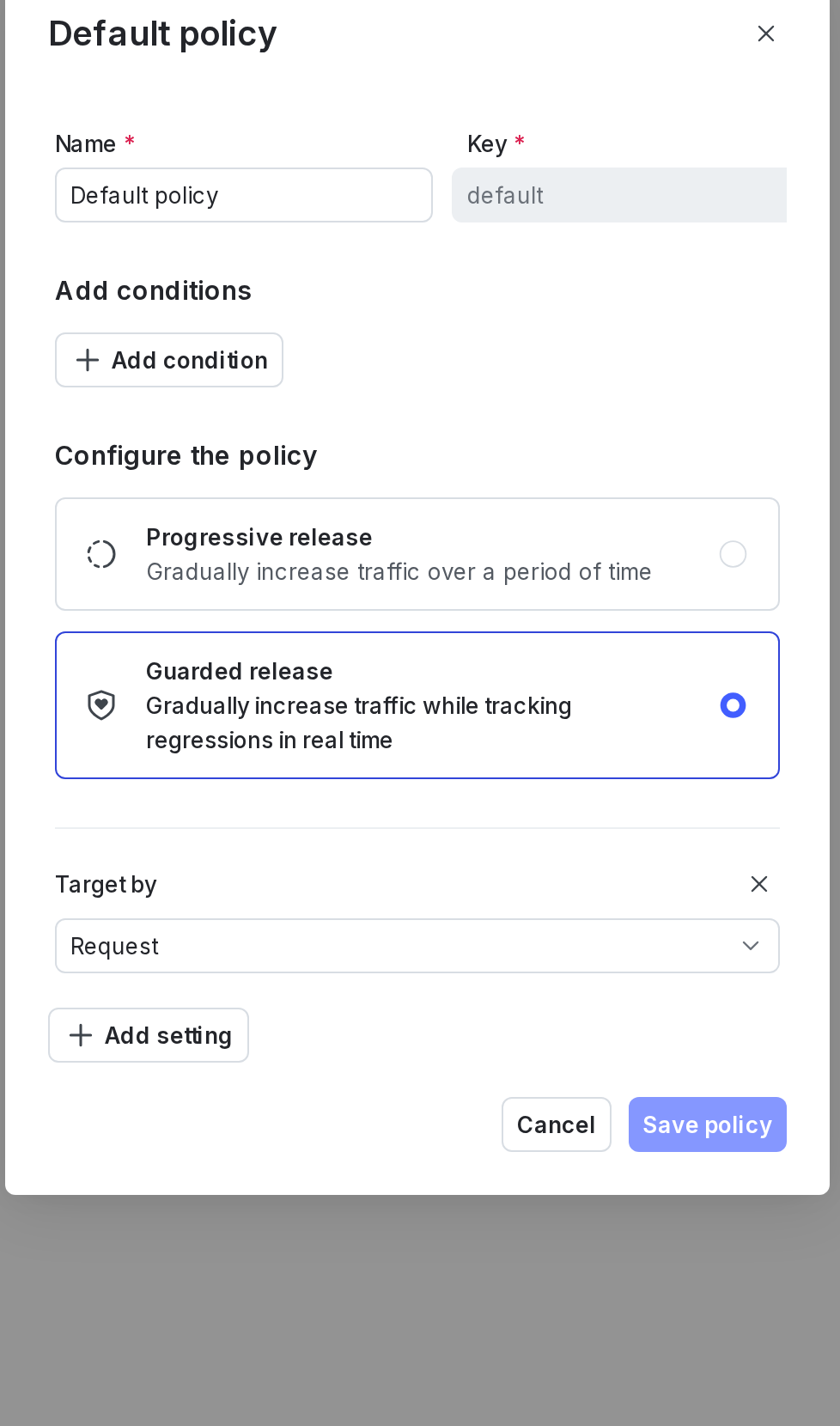
The default release policy.
Recommend progressive releases in staging
The organization prefers to test new features in staging using progressive releases. It creates a policy that recommends progressive releases in all staging environments.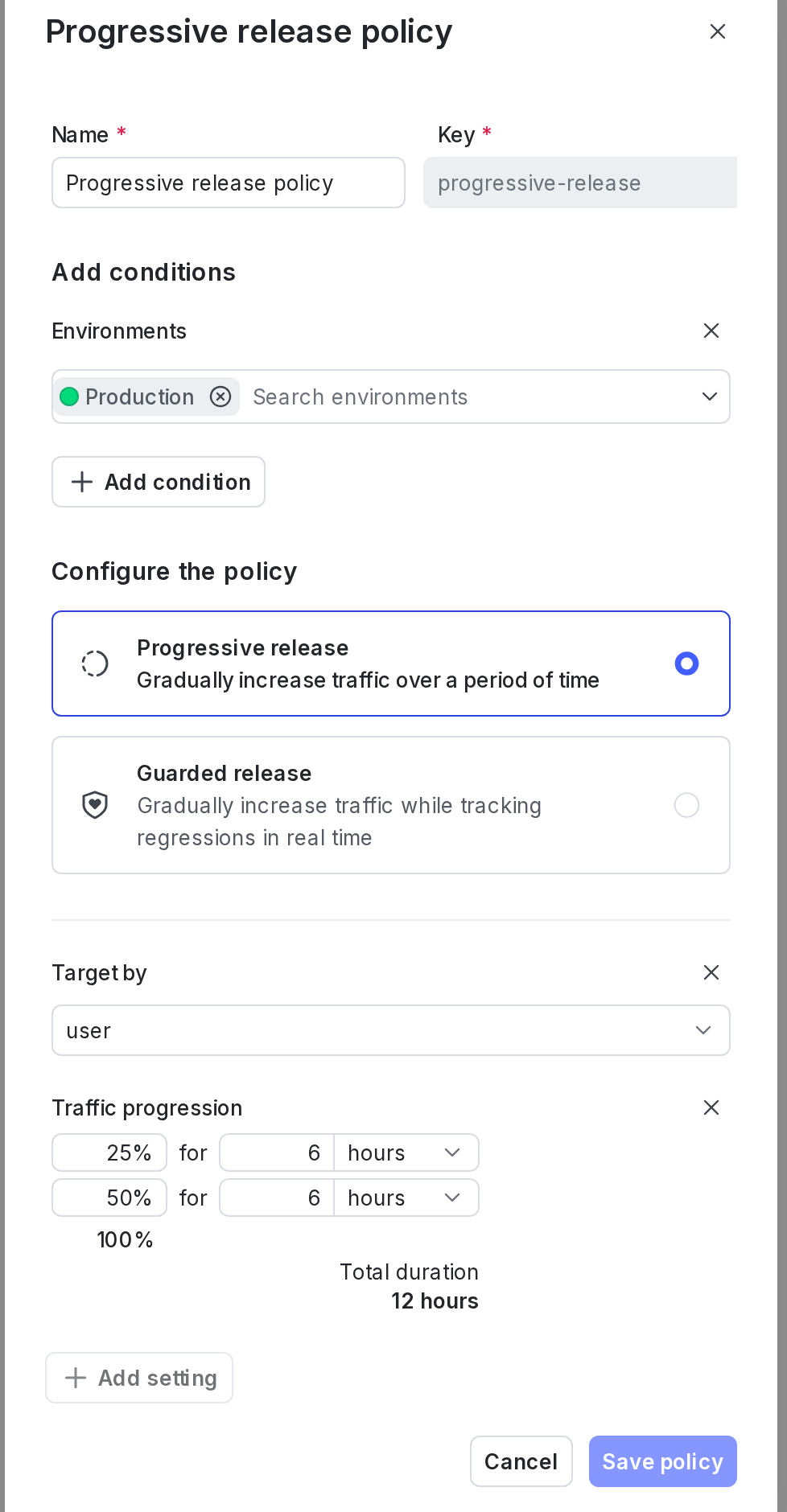
A progressive release policy.