

Metric sources
When running an experiment in LaunchDarkly, you can use LaunchDarkly hosted metrics or metrics from an external warehouse you specify. You can also choose to use Data Export to export data from your experiments to a third-party analysis tool, which doesn’t require you to select any metrics when you create the experiment. LaunchDarkly can automatically create metrics based on events that your application sends to LaunchDarkly. To learn more, read Autogenerated metrics.LaunchDarkly hosted metrics
LaunchDarkly hosted metrics can measure a wide variety of events such as user interface interactions or page views, or changes in your application codebase like the time required to process a transaction. The LaunchDarkly SDKs generate these metric events, and LaunchDarkly aggregates and analyzes the events based on the metrics you create. You can use LaunchDarkly hosted metrics to run A/B experiments and A/A tests. To learn about the different kinds of LaunchDarkly hosted metrics available, read Creating and managing metrics.Warehouse native metrics
Warehouse native metrics measure events stored in an external warehouse you specify, such as Snowflake. You can use these metrics to create experiments and analyze them against trusted data in your external warehouse to gain deeper insights and make data-informed product decisions. Warehouse native metrics must be custom metrics. Experiments using warehouse native metrics cannot use:- Clicked or tapped metrics
- Page viewed metrics
- Metric groups
- LaunchDarkly hosted metrics that measure events from LaunchDarkly SDKs
Configure the Snowflake native Experimentation integration
Before you create a warehouse native metric, you must configure a the Snowflake native Experimentation integration. Configuring the integration allows you to select a metric data source when you create a warehouse native metric.Metric groups
A metric group is a reusable set of metrics you can use to standardize metrics across multiple experiments. There are two kinds of metric groups you can use with experiments: funnel metric groups and standard metric groups.Funnel metric groups
A “funnel” is a marketing model that describes a customer’s journey through your purchasing or conversion cycle, typically from the awareness stage to the purchasing stage. Funnel metric groups are useful when you want to measure the effectiveness of your marketing funnel. When you create a funnel metric group, each metric should measure a required step in the user journey. If end users skip a step, the results may be incomplete or misleading and will skew your experiment results.Metric types for funnel metric groups
To include a metric in a funnel metric group, the metric must be:- LaunchDarkly hosted
- one of:
- Custom conversion binary
- Clicked or tapped conversion, using the “Occurrence” measurement method
- Page viewed conversion, using the “Occurrence” measurement method
Standard metric groups
Standard metric groups are an unordered set of metrics that you can reuse in multiple experiments. If you have a set of metrics that you want to monitor in all of your experiments, add them to a standard metric group to reuse them every time you create a new experiment. To learn more, read Metric groups.Primary and secondary metrics
You can designate only one metric as the primary metric in an A/B experiment, but you can attach secondary metrics to your experiments if you want to track the performance of additional measurements. You can connect up to 20 metrics to an experiment. The primary metric is sometimes called the “overall evaluation criterion.” When you are making decisions about the winning variation in an experiment, you should base your decision-making only on your primary metric, because decision-making becomes much more complicated when you include multiple metrics in a decision. When you create an experiment, the primary metric is designated with the Set as primary radio button. After you add two or more metrics to an experiment, you can change the primary metric by clicking the Set as primary radio button of the new metric you want to designate as primary. To learn more, read Creating experiments.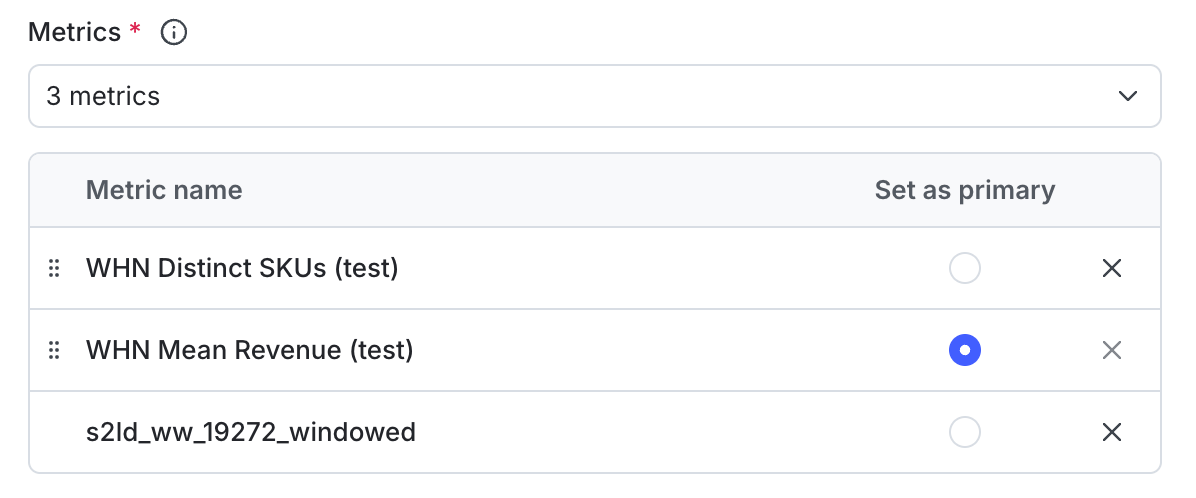
A new experiment showing the primary metric.