

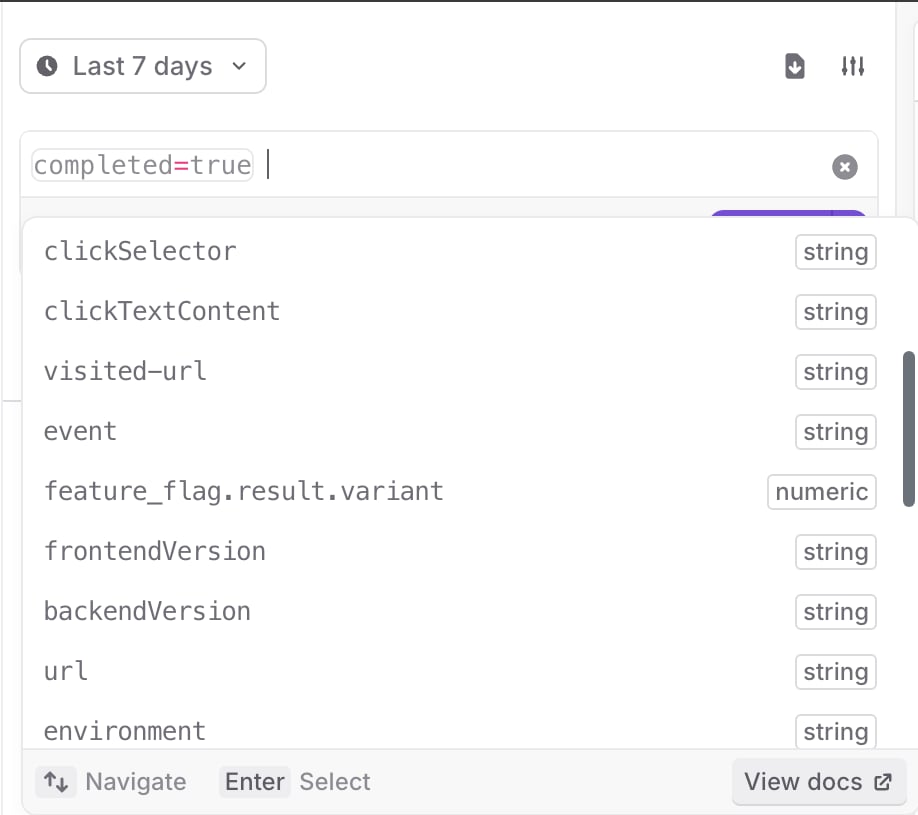
The session replay search pane, with options expanded.
Compose search queries
Compose your search query with one or more expressions. Each expression can be a comparison between a key and a value, or a logical combination of other expressions. Here are some examples of search queries:span_name.
Keys and values
Keys are identifiers, which can include any combination of alphanumeric characters, underscores (_), periods (.), dashes (-), and wildcards, which are indicated by asterisks (*).
Values are strings with any character. To use spaces or special characters, you must enclose the string in quotes (", ').
You can use wildcards (*) in values to match on part of a pattern. For example:
span_name=gorm.*matches allspan_namevalues that start withgorm.span_name=*.Querymatches allspan_namevalues that end with.Queryspan_name=*orm*matches all values that containorm
Regex expressions
You can search with regex expressions by using the matches query operator:=/[your regex here]/. For example:
clickTextContent=/\w.+\w/matches allclickTextContentthat start and end with any wordbrowser_version=/\d\.\d\.\d/matches allbrowser_versionvalues in the form [0-9].[0-9].[0-9]
tag="/\w \w/"visited-url="/https://app.launchdarkly.com/\d/.+/"
Comparisons
Use operators to compare two different elements in your search query. The following operators are supported:=: Equals!=: Does not equal<: Less than<=: Less than or equal to>: Greater than>=: Greater than or equal to
Exist and does not exist
You can search if a key exists or does not exist with theexists operator. For example, to return all the traces with a connected session, use the following query:
exists also works with the not keyword. For example, when you only want the root level spans when searching traces, use this query:
AND, OR, and NOT:
AND: Both expressions must be trueOR: At least one of the expressions must be trueNOT: The following expression must be false
AND unless you specify OR. For example:
( AND ) to group values in an expression. For example:
Span functions for trace search
The search functionality on the Traces page returns individual spans that make up traces. Span functions help you filter results to show only those spans for traces that contain or don’t contain spans that match one or more conditions. The following span functions are available when you search on the Traces page:any_span( expression )limits results to spans where the trace contains at least one span that matches the expression.any_span2()andany_span3()operate in the same way asany_span(). The unique function names let you require different spans in the trace to satisfy different conditions in the same query. To learn more, read Using multiple span aliases.no_span( expression )limits results to spans where the trace contains no spans that match the inner expression.child_span( expression )limits results to spans that have at least one direct child span matching the expression.parent_span( expression )limits results to spans where the direct parent span matches the expression.root_span( expression )limits results to spans where the trace’s root span matches the expression.
EXISTS, AND, OR, and NOT.
Here is an example that returns spans whose trace contains at least one span from the auth-service:
auth-service span:
auth-service:
checkout:
Using multiple span aliases
If you callany_span() more than once in a query, the conditions accumulate against the same span. For example, this query requires a single span in the trace to match both conditions:
any_span2() or any_span3() for the second condition. Here is an example that returns spans whose trace contains at least one checkout span and another, different span that contains errors:
Combining span functions with regular search expressions
You can combine span functions with regular search expressions in the same query. Regular expressions filter the displayed spans by their own properties, while span functions filter the displayed spans by conditions that apply to the same trace. Here is an example:production environment whose trace also contains at least one auth-service span that lasts longer than one second.
Limitations
You can only use span functions as top-level filters in a query. Span functions have the following restrictions:- You cannot wrap span functions in parentheses.
- All span functions at the top level of a query are joined with an implicit
ANDoperator. You cannot combine span functions usingAND,OR, orNOToutside of the function call.
AND, OR, NOT, EXISTS, and grouping.