

Delete approval requests
You may delete your request for changes at any point before the changes are applied. You can do this in several ways:- from the Approvals dashboard
- from the approval request
- for approval requests for flag or AgentControl config changes, from the flag or AgentControl config’s “Pending changes” panel

You can also use the REST API:Delete approval request
Delete approval requests from the Approvals dashboard
To delete an approval request from the Approvals dashboard:- Click Approvals in the left sidebar. The Approvals dashboard opens.
-
Find the request you wish to delete and click the overflow menu.
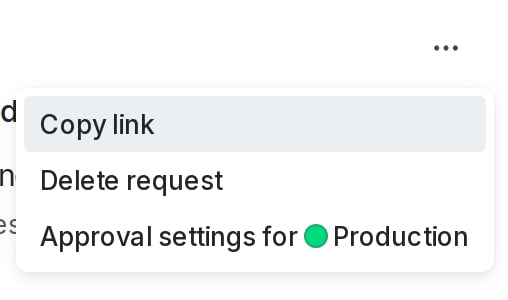
The overflow menu with the "Delete request" option called out.
- Choose “Delete request.” A confirmation dialog appears.
- Click Delete. The request is deleted.
Delete approval requests from the request details screen
To delete an approval request from the request details screen:- Navigate to the request details screen from the Approvals dashboard, flag, AgentControl config, segment, or approval notification.
- Click the three-dot overflow menu and choose “Delete request.” A confirmation dialog appears.
The overflow menu expanded with the "Delete request" option.
- Click Delete request. The request is deleted.
Delete an approval request from the “Pending changes” panel
This procedure only applies to approval requests for flag and AgentControl config changes. To delete approval requests from a flag or AgentControl config’s “Pending changes” panel:- Navigate to the flag or AgentControl config and click the “Pending changes” section in the right sidebar, or the checkmark pending changes icon. The “Pending changes” panel appears.
-
Find the change you wish to delete and click the overflow menu. Additional options appear:
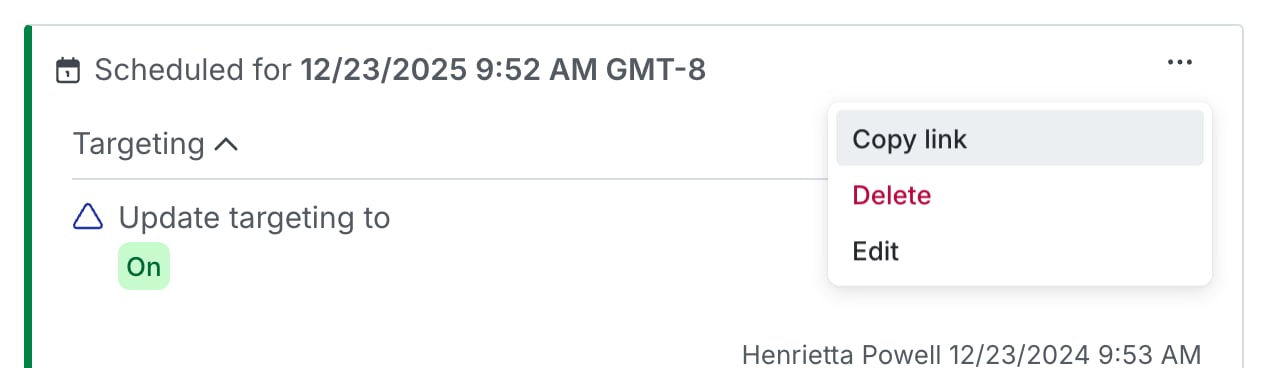
The "Delete" option in the overflow menu.
- Choose Delete. A confirmation dialog appears.
- Click Delete. The request is deleted.