

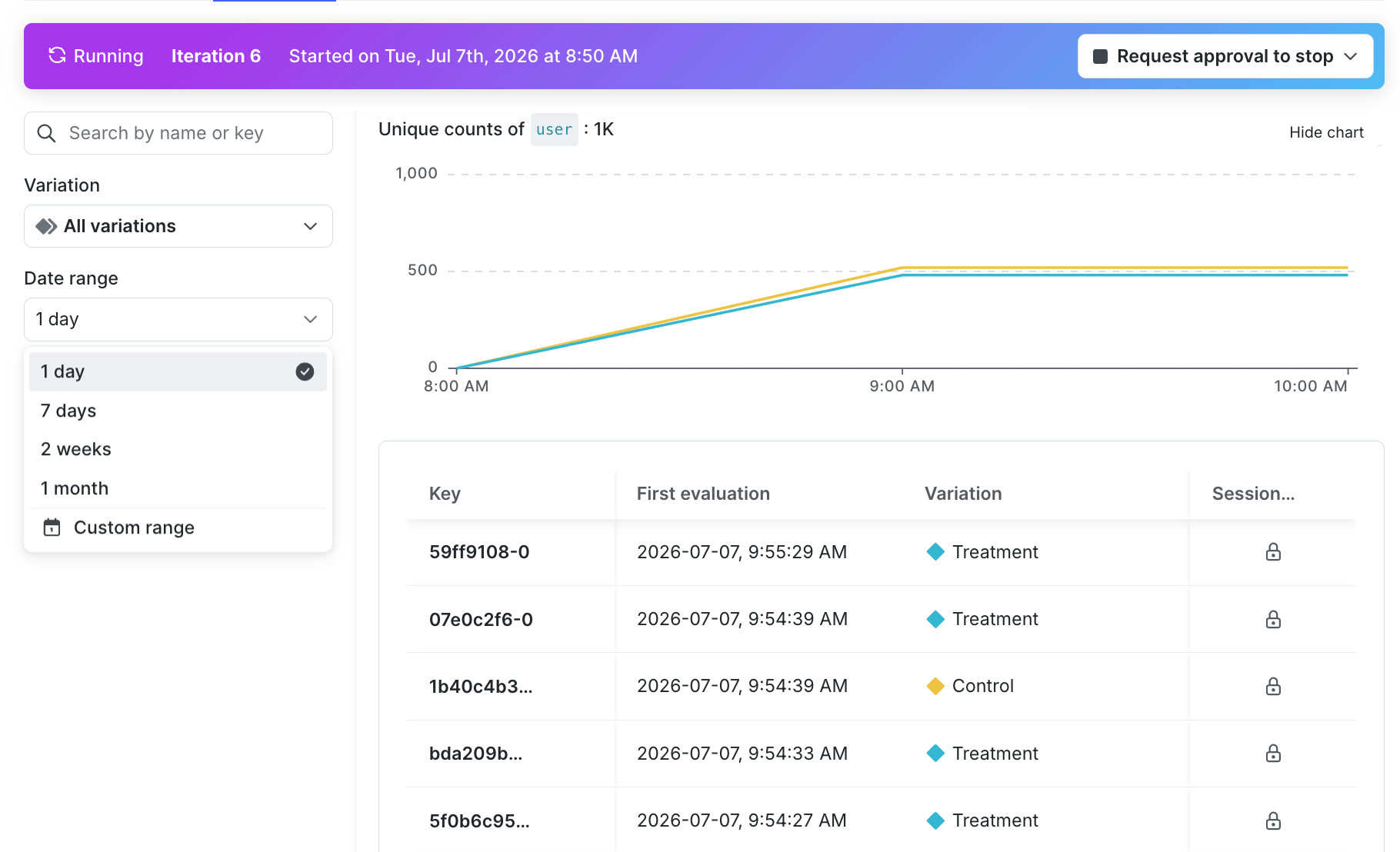
The "Exposure" tab for an experiment.
View exposures
To view exposure events for an experiment, navigate to the experiment you want to review and click the Exposures tab. The Exposures tab displays a table of exposure events. Each row represents a single exposure event and includes:- Key: The key of the context that was evaluated.
- First evaluation: The date and time that the context first encountered the experiment.
- Name: The name of the context.
- Variation: The variation the context was assigned to.
- Session replay: A recording of the end user’s session in your application. To learn more, read Session replay.
Search and filter exposures
You can narrow the list of exposures to find specific events or investigate patterns. To search for a specific context, enter a context name or key in the search field. LaunchDarkly returns matching exposure events within the available time window. To filter exposures by variation or time range, you can:- Use the Variation filter to show exposures for a specific variation.
- Use the Date range filter to select a preset window: 1 day, 7 days, 2 weeks, or 1 month. You can also set a custom range, up to 30 days in the past.