

How it works
To start a flag cleanup, you can either:- Go to the Flags list, click the three-dot overflow menu on any flag, and select Vega cleanup.
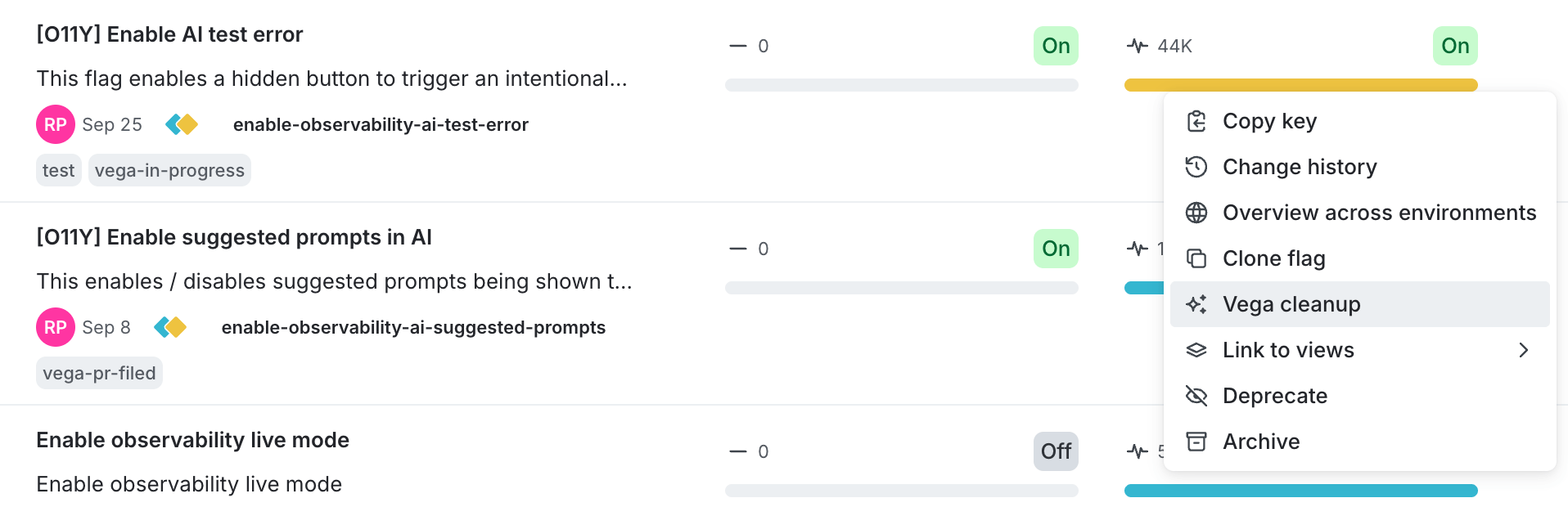
The three-dot overflow menu on a flag, with the Vega cleanup option.
- Or, click a flag in the Flags list, and then click Start cleanup in the Vega Cleanup Status section of the sidebar.
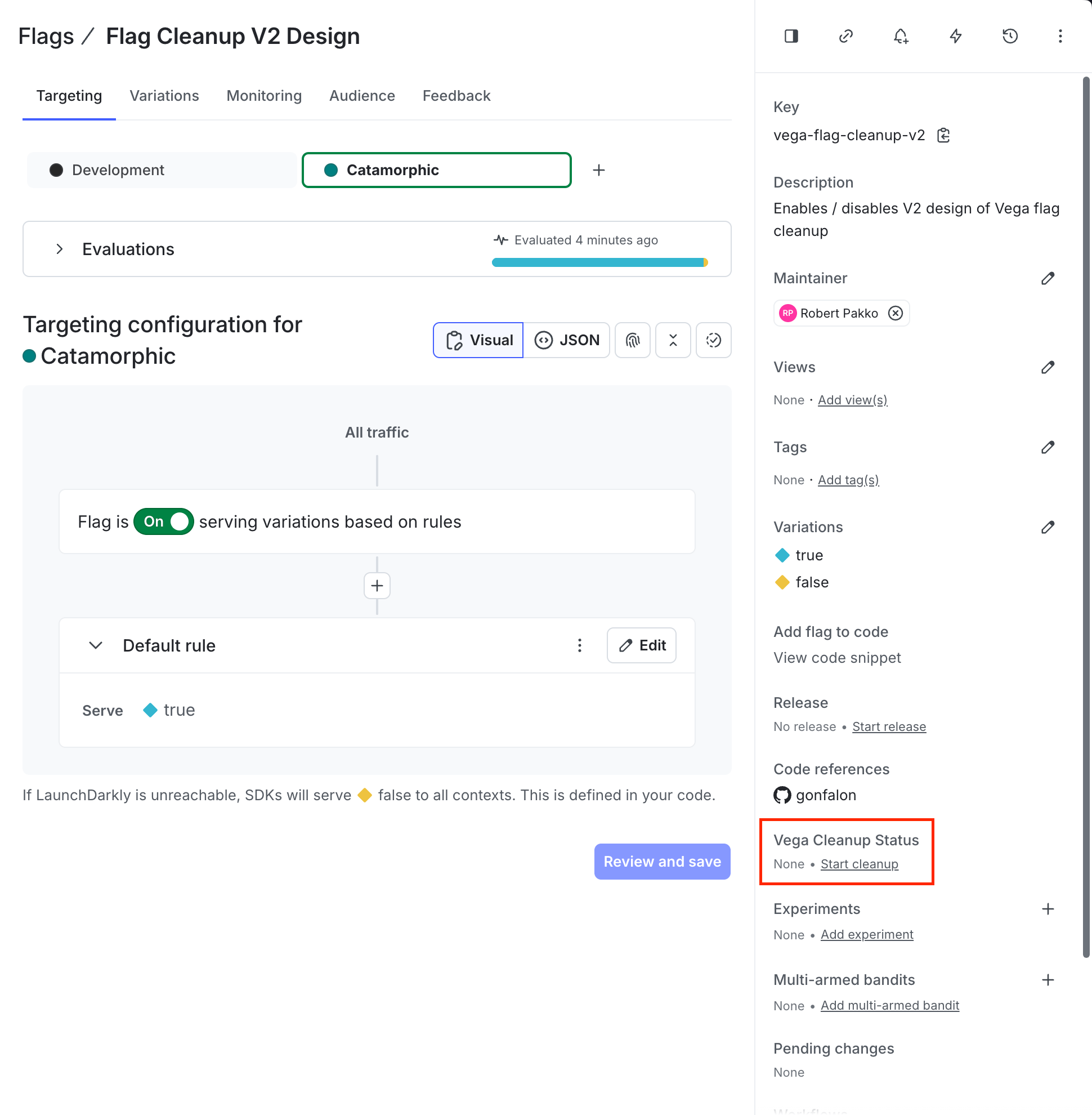
The Vega Cleanup Status section on a flag's detail page, with the Start cleanup link.
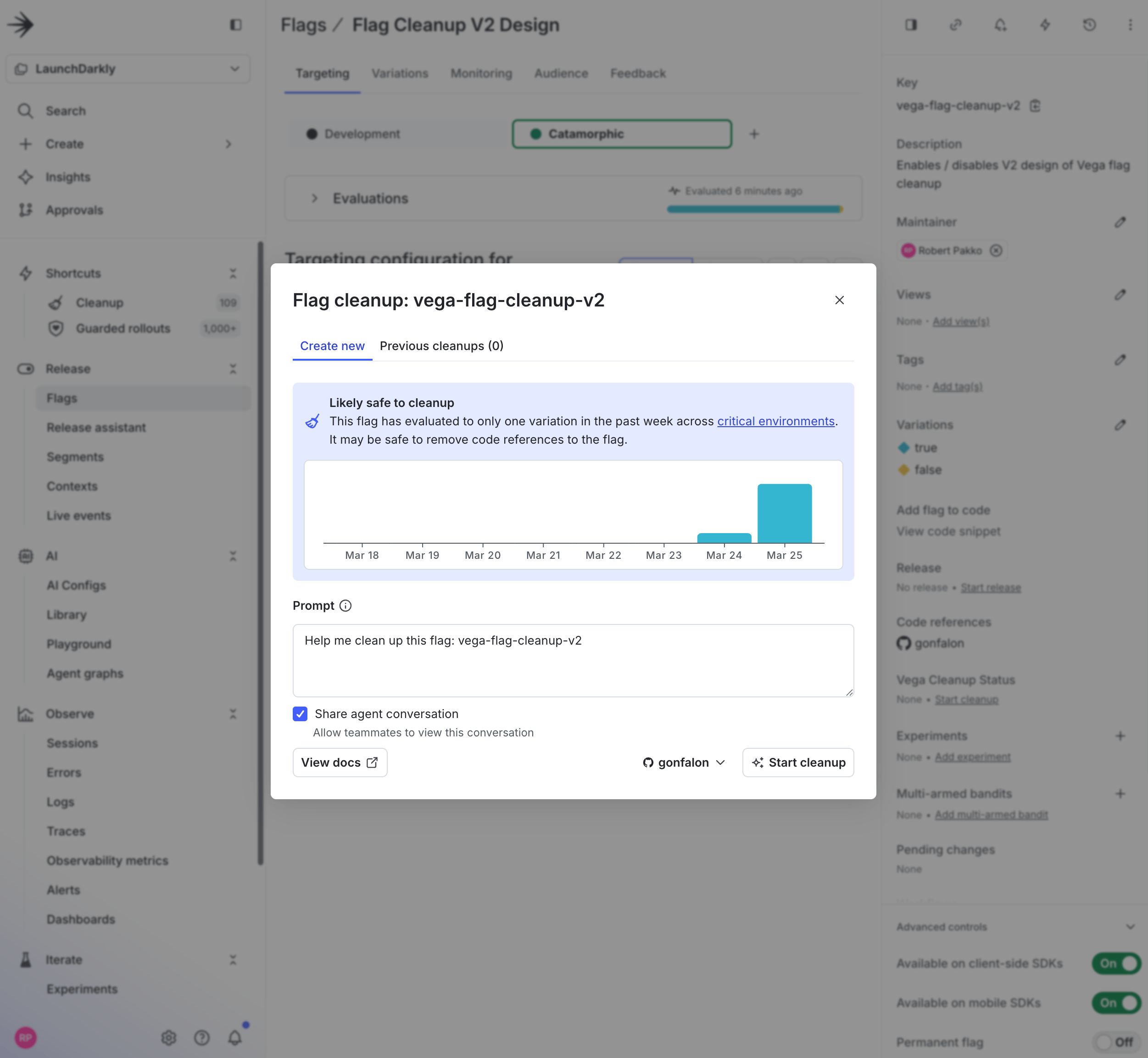
The Flag cleanup modal, showing staleness analysis and the Start cleanup button.
- The cleanup job appears under the Flag Cleanup tab.
- Vega checks that the flag has only a single variation being evaluated across all critical environments. If multiple variations are still active, Vega won’t proceed with the cleanup task.
- If the check passes, Vega creates a GitHub pull request to remove the flag from your code.
How Vega determines if a flag is safe to clean up
Vega follows this procedure to determine whether a flag is safe to remove:- Queries your critical environments: Vega identifies all environments marked as critical for your project.
- Checks flag evaluations: Vega checks the flag’s evaluations in these environments to confirm that the flag is “stale,” meaning it serves the same variation across all critical environments.
- Takes action:
- If the flag is stale, Vega proceeds with code cleanup and creates a pull request.
- If the flag is not stale, Vega notifies you. You can still tell Vega to clean up the flag if you’d like to proceed anyway.
Tracking cleanup status
You can view a flag’s cleanup status in the Vega Cleanup Status section on the flag’s detail page sidebar: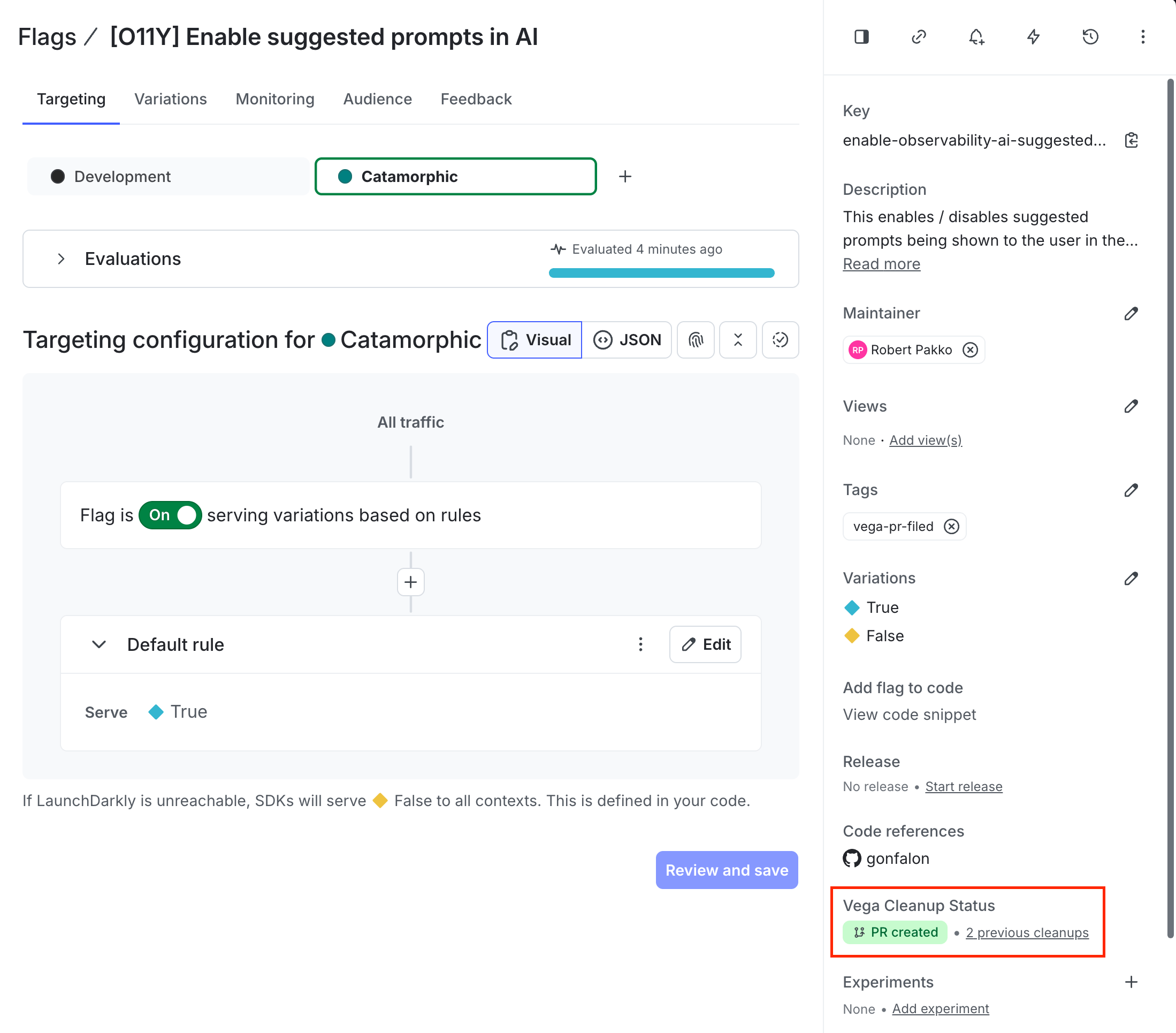
The Vega Cleanup Status section on a flag's detail page.
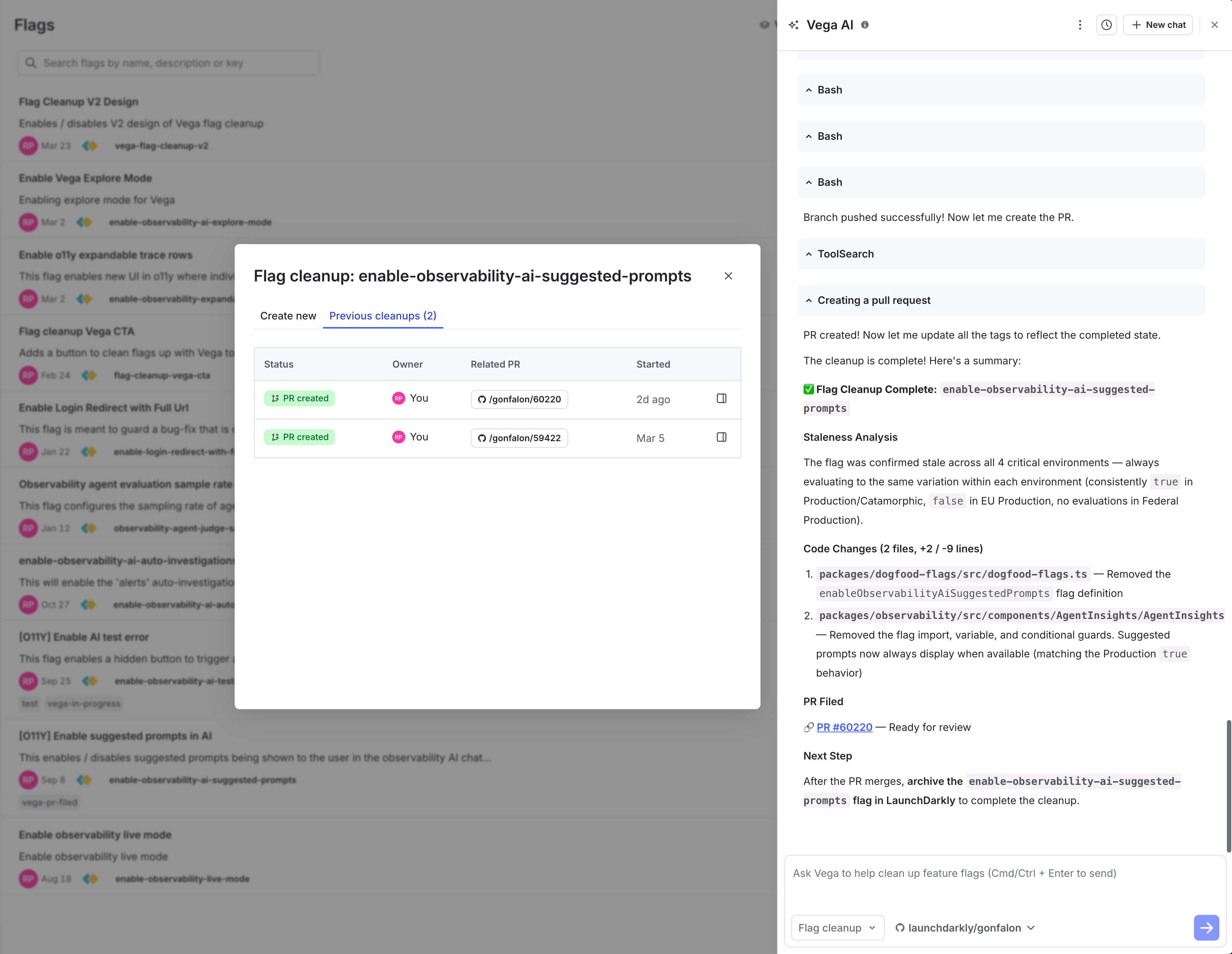
A completed Vega flag cleanup, showing the PR history and Vega's summary.
| Tag | Meaning |
|---|---|
vega-pr-in-progress | Cleanup is underway for this flag. |
vega-pr-filed | A pull request has been created for this flag’s cleanup. |
vega-pr-attempted | Vega attempted cleanup but did not file a pull request. This can happen if Vega’s pre-cleanup checks determine the flag isn’t stale, if Vega cannot find any reference to the flag in the repositories it has access to, or due to a transient error such as a change in GitHub permissions. |
Identify Vega pull requests
Vega uses the following conventions to identify the pull requests it creates, so you can find and monitor them in GitHub:- The pull request title begins with the
[Vega]prefix. - The pull request includes the
vega-prlabel.
vega-pr label with GitHub’s own notification tools. For example, GitHub’s Slack integration can notify a channel when pull requests are opened in a repository.
If Vega finds references to a flag in more than one repository, it opens a separate pull request in each repository. Each pull request description includes a link to the Vega conversation that created it, so you can trace related pull requests back to the same cleanup.
Automated flag cleanup
In addition to starting cleanups manually, you can configure Vega to automatically clean up flags on a recurring schedule. When enabled, Vega periodically scans for flags that are ready for code removal and runs cleanup jobs for them. To configure automated flag cleanup:- Go to Project settings, then select Lifecycle settings.
- In the “Automated flag cleanup” section, check Enable automated flag cleanups.
-
Configure the following settings:
- Schedule frequency: Choose how often Vega runs automated cleanups. The options are 1 day, 7 days (the default), or 30 days.
- Max cleanup jobs per run: The maximum number of flags Vega will clean up in a single scheduled run (1–20).
- Retry unsuccessful cleanups: When checked, Vega will re-attempt cleanup on flags where a previous attempt was unsuccessful. This option is off by default.
- GitHub repositories: Select one or more connected GitHub repositories that Vega should target for code removal. You must select at least one repository to save your settings.
- Additional context (optional): Provide extra instructions for the cleanup agent. For example, you can specify where flags are defined in your codebase. Vega also follows instructions in your repository’s
AGENTS.mdfile, if available.
- Click Save.
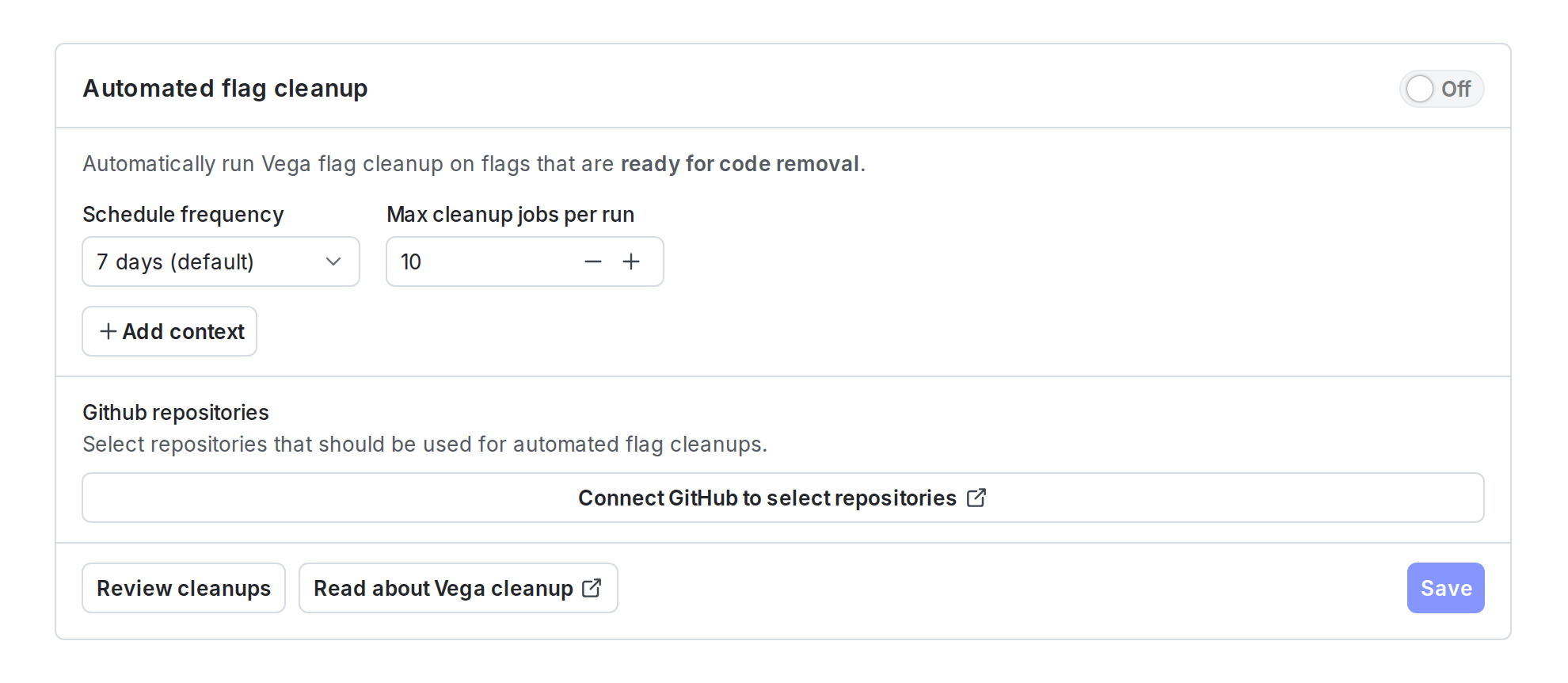
The Automated flag cleanup settings card on the Lifecycle settings page.
vega-pr-in-progress, vega-pr-filed, and vega-pr-attempted tags in the Flags list.
The settings card shows a “Last configured by” indicator with the member who saved the current configuration. Automated cleanup jobs run using this member’s permissions, so Vega can only access the repositories and flags that member has access to. If that member’s permissions change or their account is deactivated, you should update the settings with a different member to ensure cleanups continue to run.
Supported version control
Vega currently supports GitHub only for creating pull requests. To learn how to connect GitHub, read Connecting Vega to GitHub.Related resources
- Vega for general information about Vega, including eligibility and pricing.
- Customizing Vega with repository instructions to improve Vega’s cleanup results by adding a
CLAUDE.mdorAGENTS.mdfile to your repository. - Flag cleanup custom agent for GitHub Copilot for an alternative approach that uses GitHub Copilot to clean up flags.