

Scheduled flag changes are available to customers on select plansScheduled flag changes are only available to customers on select plans. To learn more, read about our pricing. To upgrade your plan, contact Sales.

You can also use the REST API: Scheduled changes
Benefits of scheduling flag changes
Benefits of scheduling flag changes include:- Timing an early launch: Scheduling your flag to turn on or off on a specified date/time lets you plan your release without having to manually make changes at desired release times.
- Progressive feature rollouts: Scheduled flag changes are one of several ways you can create a set of scheduled changes to your flag, and have LaunchDarkly slowly release the feature for you. For example, you can schedule your flag to roll out to 20% of your user base tomorrow, 35% the day after, 50% the day after that, and increase that percentage until it reaches 100%.
- For this use case, we generally recommend the separate progressive rollouts feature instead, because it is easier to set up, and because the flag variation that any particular customer encounters changes only once over the course of the rollout.
- Temporary access: You can schedule rules that target certain contexts and segments to be added to or removed from your flag’s targeting to better manage customer access.
- Flag hygiene: You can schedule your flag’s targeting rules to clean up once your flag has been rolled out to 100% of your user base.
View scheduled flag changes
To view the scheduled changes for a flag:- In the left sidebar, click Code. The CodeControl menu appears.
- Click Flags.
- Select the flag for which you want to view the scheduled changes. The flag’s Targeting tab appears.
- The scheduled changes appear in the right sidebar:
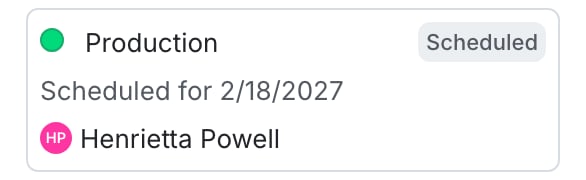
The "Pending changes" section of a flag.
You can also use the REST API: List scheduled changes.