

Filter contexts
To filter contexts:- Click the filter icon and filter the list by context kind or attribute:
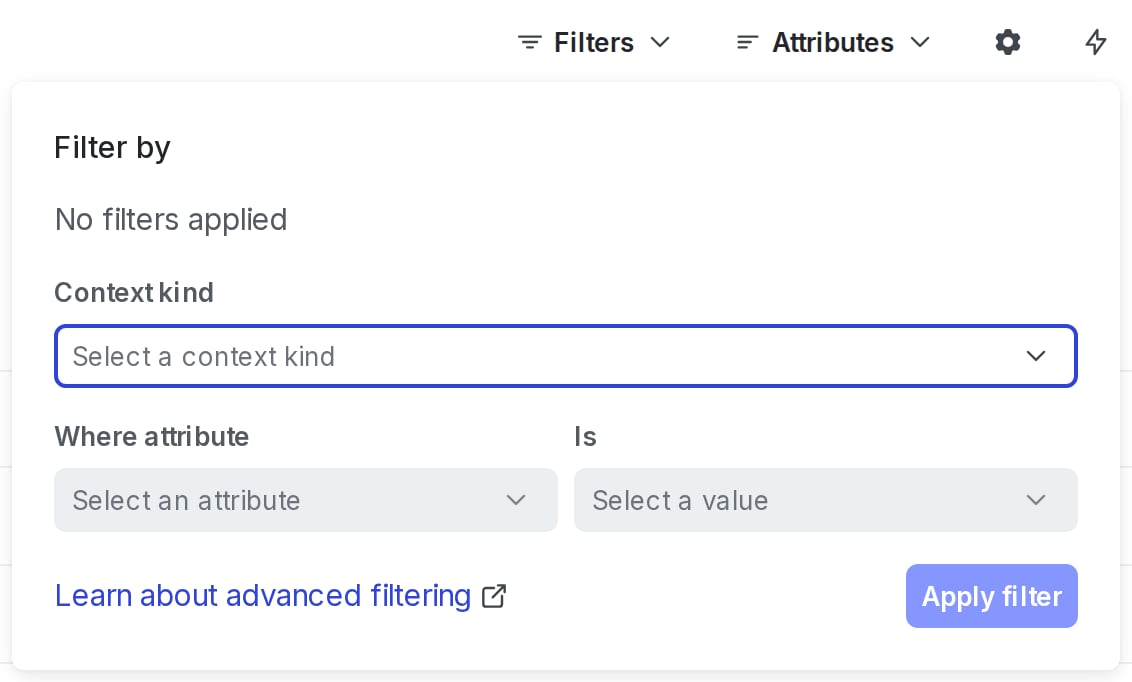
The "Filter by" dialog on the "Contexts" list.
- Alternatively, in the filter field, enter all or the beginning of a context kind, name, key, or attribute.
- To filter by an attribute for a specific context kind, separate the context kind and its attribute with a period (
.). For example, to search the “state” attribute of “user” contexts, useuser.state.
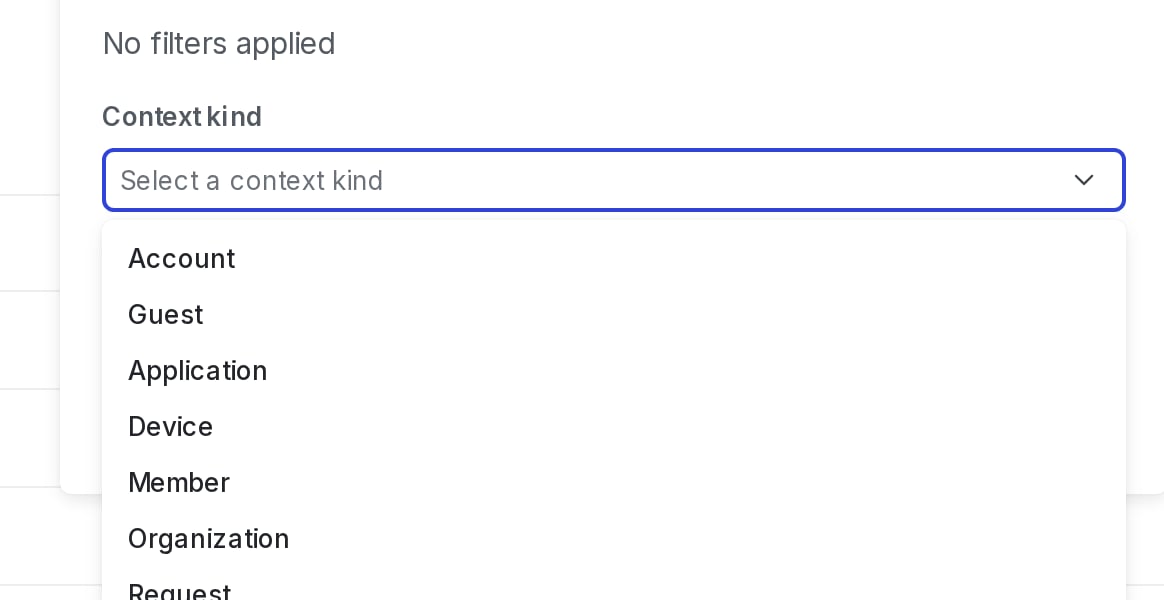
A search query for "user" context kinds.
- Press enter. Only contexts with matching attribute values now display on the Contexts list.

You can also use the REST API: Search for contexts
Advanced filter strings
In addition to filtering by context kind, name, or attribute, you can create advanced filter strings to search for specific values in specific fields. This table contains examples of advanced filter strings and what they search for:| Filter string | Description |
|---|---|
location equals Springfield | Searches for all context kinds for a location attribute with the value of “Springfield” |
organization.location anyOf [“Springfield”,“Midway”] | Searches for all organization contexts that have a location attribute with the value of “Springfield” or “Midway” |
device.type startsWith “Samsung” | Searches for all device contexts that have a type attribute that starts with “Samsung” |
Elements of a filter string
A filter string contains three elements:- Field: The field is the first part of the filter string. It is a field in the contexts that you want to filter based on.
- If you’re searching an attribute for a specific context kind, separate the context kind and its attribute with a period (
.). - Field names are always strings. If they appear within double quotes (
"), then they are encoded as if they were a JSON string. Unquoted strings must escape commas,, pipes|, parentheses(), exclamation points!, slashes\, and whitespace by prefixing the character with\.
- If you’re searching an attribute for a specific context kind, separate the context kind and its attribute with a period (
- Operator: The operator is the second part of the filter string. It describes the conditions by which the filter identifies the match value. To learn about all of the available operators, view the “Operators” table below.
- Match value: The match value is the third part of the filter string. It describes the values that the filter will identify.
- A match value must be formatted as a JSON value or an unquoted string.
- Unquoted strings must escape commas
,, pipes|, parentheses(), exclamation points!, slashes\, and whitespace by prefixing the character with\.
Operators
This table lists all of the available operators and related examples:| Operator | Description | Example |
|---|---|---|
after | Returns true if any of the values in a field, which should be dates, are after or equal to the provided datetime. Valid match values should be numbers in unix epoch milliseconds, or date time strings in RFC-3339 format. | user.signup after “2022-09-21T19:03:15+00:00” |
anyOf | Returns true if any of the values in a field match any of the values in the match value. This operator is only available for the following fields: applicationId, id, key, kind, kindKey, kindKeys. | applicationId anyOf [44]kind anyOf [“device”,“org”]key anyOf [1,2,3,4] |
before | Returns true if any of the values in a field, which should be dates, are before or equal to the provided datetime. Valid match values should be numbers in unix epoch milliseconds, or date time strings in RFC-3339 format. | user.signup before “2022-09-21T19:03:15+00:00” |
contains | Returns true if all the match values are also found in the values of the field. This operator is only available for the following fields: kindKeys, kinds. | kindKeys contains [“Sandy”,“Jesse”]kinds contains [“s”] |
equals | Returns true if there is an exact match on the entire field. | organization.number equals 44”kind” equals “device”device.option equals trueorganization.number equals [1,2,3,4]user.name equals [“Sandy”, “Jesse”] |
exists | Returns true if the field matches the specified existence. For example, if you pass true and the field exists, this returns the context. This operator is available for name and for custom attributes. | organization.name exists truedevice.option exists false |
notEquals | Returns true if there is not an exact match on the entire field. | organization.number notEquals 44”user.name” notEquals Sandydevice.option notEquals trueorganization.number notEquals [1,2,3,4]user.name notEquals [“Sandy”, “Jesse”] |
startsWith | Returns true if the value in a field, which should be a singular string, begins with the provided substring. | user.name startsWith Sandevice.os startsWith “iOS” |
Save filtered contexts lists
You can create shortcuts to filtered contexts lists, and save them in the left sidebar to return to at any time. When you create a shortcut, it is only visible to you. To create a shortcut to a filtered contexts list:- In the left sidebar, click Code. The CodeControl menu appears.
- Click Contexts.
- Add your desired environments to the Contexts list following the instructions in Open environments.
- Add any context filters you need such as kind or attribute.
- Click the bolt icon above the Contexts list to create a shortcut:
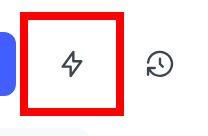
The Contexts list with the bolt icon called out.
- Add a Name for your shortcut.
- (Optional) Choose an Icon to represent your shortcut in the left sidebar.
- Click Save.
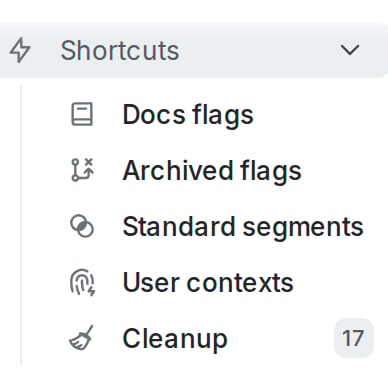
A list of shortcuts in the left sidebar.